

Summarize:


Here Are Our Top 5 Tabs Alternatives for Smarter Collections Workflows
This guide breaks down the top 5 Tabs alternatives: Lunos, Maxio, Chargebee, Sage Intacct, and Invoiced. Each platform varies in automation, collections workflow, and customer communication, helping finance teams streamline AR, speed up payments, and improve cash flow.


Quick Summary
This guide breaks down the top 5 Tabs alternatives: Lunos, Maxio, Chargebee, Sage Intacct, and Invoiced. Each platform varies in automation, collections workflow, and customer communication, helping finance teams streamline AR, speed up payments, and improve cash flow.
Here are our top three picks:
Looking for the Best Tabs Alternative for Your Team?
Tabs handles billing and revenue for SaaS companies, managing subscriptions, usage-based pricing, and multi-step revenue workflows. But it lacks advanced collections workflows, follow-up intelligence, and automation to keep cash flowing smoothly.
In this Lunos guide, we review the top Tabs alternatives that deliver deeper automation, smarter collections processes, and real-time insight into customer intent.
Why Listen to Us?
At Lunos, we help finance teams automate follow-ups, understand customer intent, and get paid faster. Through supporting teams across dozens of industries, we’ve seen what works, what doesn’t, and which tools make a real difference in collections performance. This guide draws from that real-world experience to help you confidently choose the best Tabs alternative for your team.
What Is Tabs?
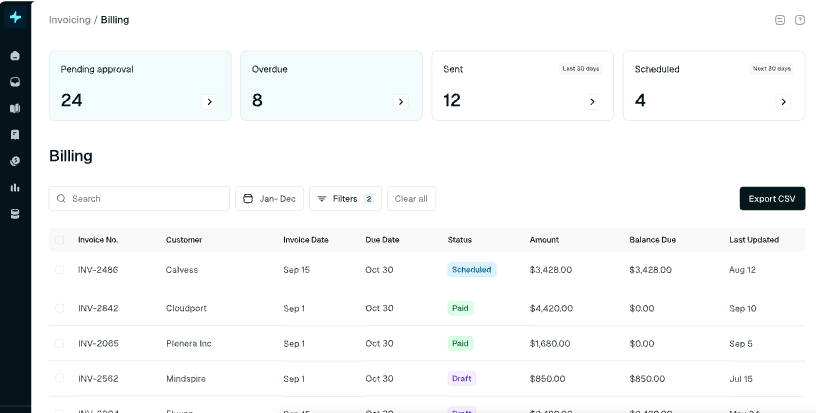
Tabs is a billing and revenue platform that helps SaaS companies manage subscriptions, invoicing, and payments in one place. It automates recurring billing, centralizes customer data, and supports revenue workflows, so finance teams can stay organized and reduce manual work across the billing cycle.
Key Features
- Automated invoice generation: Creates and schedules invoices based on billing rules, contract terms, or usage data.
- Flexible subscription management: Handles upgrades, downgrades, renewals, and cancellations.
- Usage and metered billing: Captures real-time usage data and converts it into accurate charges.
- Centralized revenue reporting: Tracks MRR, churn, payments, and billing activity in one dashboard.
- Integrated payment collection: Syncs with payment processors to record transactions and match receipts.
Limitations of Tabs
- Basic follow-up automation: Reminders are sent on schedule, but cannot adjust tone or timing based on customer replies.
- Limited conversational handling: Does not read or respond to messages, promises to pay, or disputes.
- Narrow AR visibility: Lacks real-time insight into customer intent, making forecasting harder.
- Manual context gathering: Teams still switch between inboxes, spreadsheets, and systems to piece information together.
- Rigid workflow rules: Billing and collections actions follow fixed logic that cannot adapt to real situations.
5 Top Tabs Alternatives For Businesses
Here’s a quick comparison of the alternatives.
1. Lunos
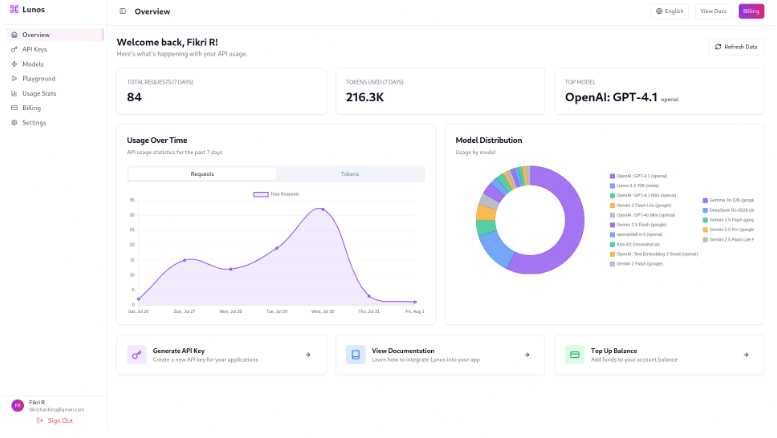
Lunos is an AI-powered AR platform that fills the gaps Tabs cannot cover, especially conversational AR. Where Tabs automates invoices and reminders, Lunos goes further by reading customer replies, interpreting intent, and continuing the conversation naturally. It acts like a teammate who knows when to nudge, when to clarify, and when to escalate.
With Lunos, finance teams get a clear view of every invoice and every promise. Follow-ups adjust to tone and timing, customer intent is captured in real time, and cash moves faster without constant manual effort.
Key Features
- AI-powered, human-like follow-ups: Reads replies and responds naturally to drive faster payments.
- Two-way intelligence: Listens as well as sends, adjusting timing, tone, and next steps based on real behavior.
- Real-time intent tracking: Captures promises, disputes, and delays for accurate forecasting.
- Centralized AR workspace: Pulls ERP, CRM, and payment data into one view for faster decision making.
- Automatic contact identification: Finds the right finance decision-makers to avoid dead-end threads.
- Personalized messaging: Tailors follow-ups to history and behavior for higher response rates.
- 24/7 coverage: Keeps follow-ups moving outside business hours, leading to fewer delays and shortened payment cycles.
Pricing
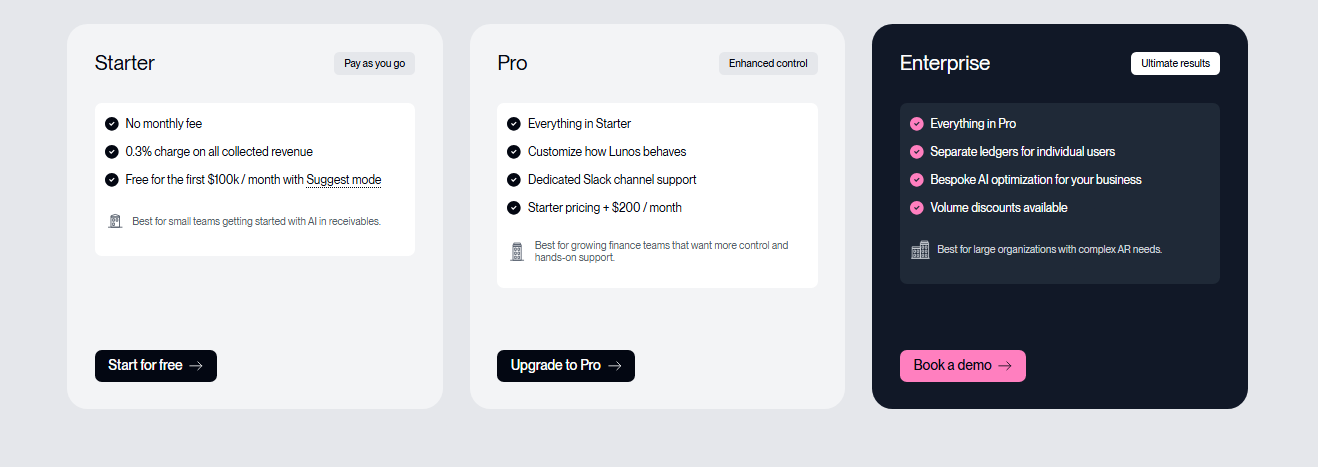
- Starter: No monthly fee. Suggest Mode is free for the first 100k each month, with a 0.3% fee on collected revenue.
- Pro: $200 per month plus a 0.3% collections fee. It includes Slack support, more configuration options.
- Enterprise: Custom pricing with multi-entity support, tailored AI, volume discounts, and onboarding.
Pros
- Finance teams see real-time customer intent for smarter prioritization
- Human-like follow-ups that drive quicker replies
- Reduces time spent tracking contacts and chasing dead-end invoices
- Automatic contact identification to reach the right decision-makers
- Exception surfacing to spotlight issues before they slow payments
Cons
- Enterprise pricing is only available on request
2. Maxio
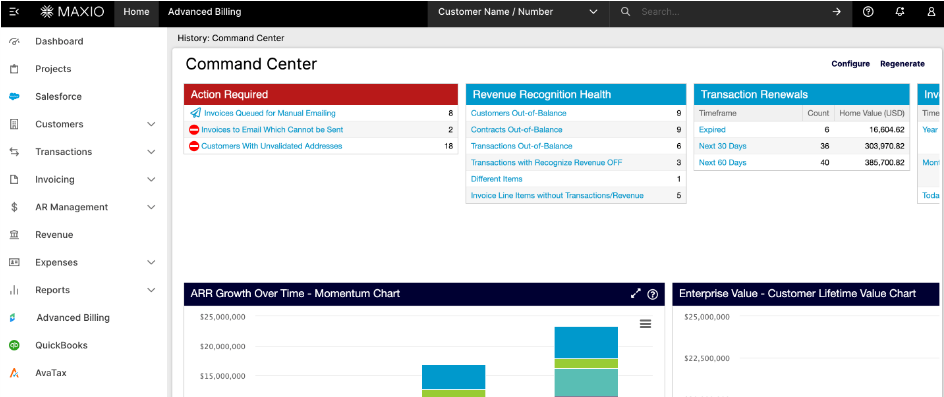
Maxio is a revenue management platform built for B2B SaaS companies that handle complex billing, subscriptions, and revenue reporting. The tool centralizes invoicing, usage data, and financial metrics in one system. It’s ideal for finance teams that need detailed revenue insights and more control over subscription operations.
Key Features
- Automated revenue recognition: Builds ASC 606-compliant schedules and tracks deferred revenue automatically.
- Subscription and usage billing: Supports tiered, metered, and hybrid pricing models for complex plans.
- Customer lifecycle management: Manages sign-ups, renewals, upgrades, and downgrades in one system.
- ERP and CRM integrations: Syncs data with accounting and sales systems to align revenue workflows.
- Contract management: Stores terms, billing rules, and custom agreements for accurate invoicing.
Pricing
- Grow: $599/month. Supports up to $100,000 in monthly billings, with subscription billing, revenue recognition, reporting, and standard payment gateway features.
- Scale: Custom pricing for businesses billing more than $100,000/month. Includes advanced revenue recognition, AR tools, and expanded enterprise billing capabilities.
Pros
- Handles complex plans efficiently, reducing errors and speeding revenue collection
- Strong billing management that reduces manual work and speeds up invoicing
- Tracks deferred revenue automatically for accurate financial reporting
Cons
- Reporting can feel rigid or confusing for advanced use cases requiring customization
- Some users report billing or billing-change delays when plans are updated
3. Chargebee
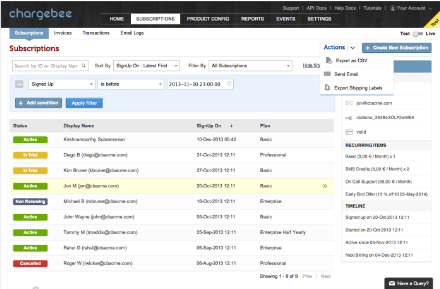
Chargebee manages subscription billing, invoicing, and revenue operations for SaaS and recurring-revenue businesses. Teams use it to handle upgrades, usage billing, taxes, payment collection, and compliance in one place. Strong analytics and flexible billing models make it a fit for companies with fast-changing subscription structures.
Key Features
- Flexible subscription billing: Supports recurring, usage-based, tiered, and hybrid pricing models.
- Automated invoice generation: Creates and sends invoices based on plan changes, renewals, and usage.
- Payment collection and retries: Processes payments and runs smart retry logic to reduce failed charges.
- Tax management: Applies global tax rules and handles compliance for multiple regions.
- Revenue recognition tools: Builds compliant revenue schedules and tracks deferred amounts.
Pricing
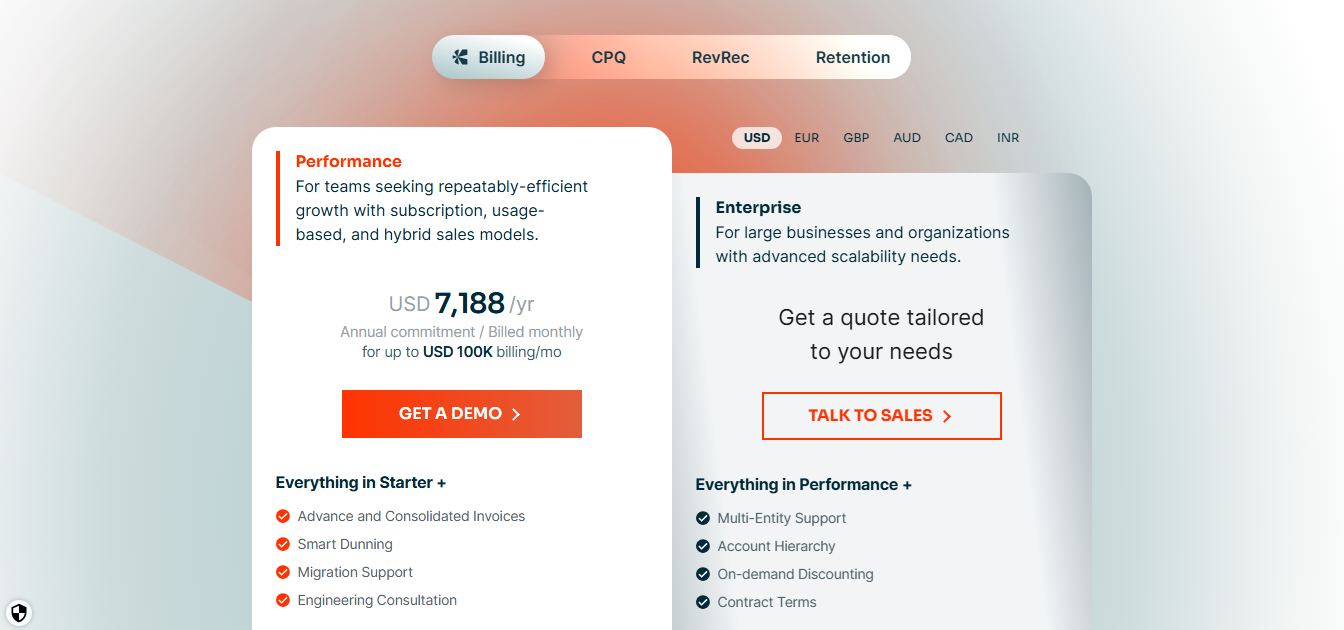
- Starter: $0/month. Free for the first $250,000 of cumulative billing.
- Performance: $7.188/year. Works for billing up to $100,000 per month, with access to advanced invoicing, smart dunning, and payment gateway support.
- Enterprise: Custom pricing for larger businesses with complex billing setups, multi-entity needs, or advanced revenue workflows.
Pros
- Adapts easily to changing pricing models, reducing rework for finance teams
- Wide payment gateway support for accepting payments globally
- Strong integration ecosystem makes it easier to connect billing with CRM, analytics, and accounting tools
Cons
- Complex setup for advanced billing models and integrations
- Reporting and analytics tools are limited for advanced financial insights
4. Sage Intacct
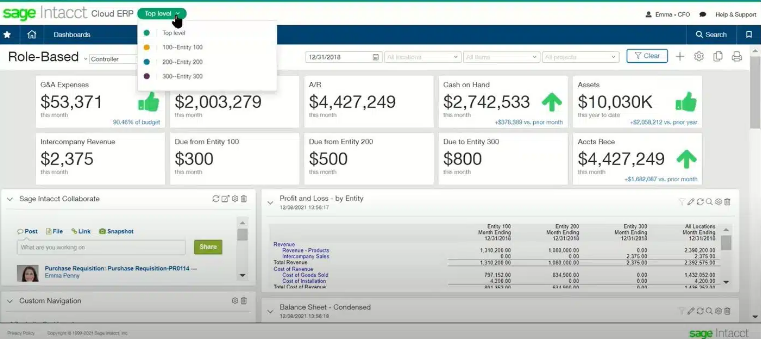
Sage Intacct is a cloud-based financial management system used by companies that need stronger accounting, reporting, and revenue recognition than basic billing tools provide. Finance teams use it to manage cash, consolidations, AR, and GL workflows. It’s best for growing or multi-entity businesses that need deeper financial controls.
Key Features
- Core financial management: Handles GL, AP, AR, cash management, and multi-entity accounting.
- Automated revenue recognition: Builds ASC 606-compliant schedules and tracks deferred revenue.
- Advanced reporting and dashboards: Delivers real-time financial insights across departments and entities.
- Order-to-cash automation: Connects sales orders, invoices, and payments for cleaner revenue workflows.
- Multi-entity consolidation: Manages global entities, currencies, and roll-ups without manual spreadsheets.
Pricing
Custom pricing based on user count, selected modules, entity structure, and overall accounting complexity.
Pros
- Strong financial controls help teams reduce audit risk and maintain compliance
- Real-time reporting gives leaders faster insight into performance without manual data pulls
- Multi-entity support and consolidation for managing international operations
Cons
- Advanced features require add-ons which can add to overall expenses
- Deep reports often need custom configuration to meet specific needs
5. Invoiced
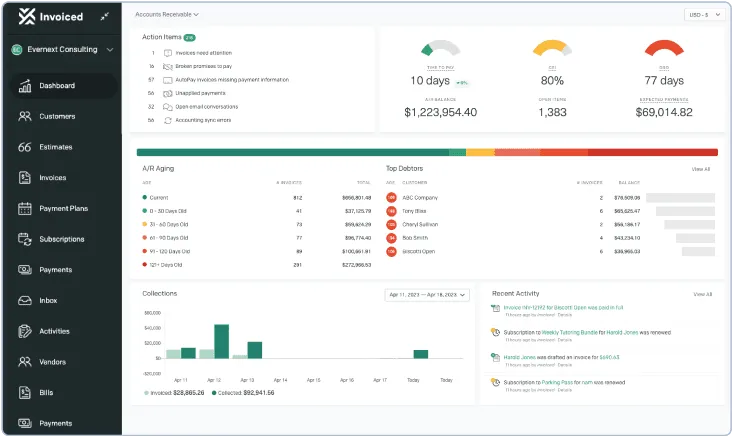
Invoiced is an AR automation platform for teams that want a simple, lightweight way to manage invoicing, payments, and follow-ups. It helps small to mid-size businesses reduce manual outreach, track payments more easily, and manage recurring billing without the complexity of a full finance suite.
Key Features
- Automated invoice generation: Creates and sends invoices based on billing rules or subscriptions.
- Payment collection tools: Accepts online payments and syncs transactions to open invoices.
- Customer payment portal: Gives customers a place to pay bills, manage payment methods, and view history.
- Dunning and reminders: Sends scheduled follow-ups to reduce late payments.
- Subscription billing support: Handles recurring charges, renewals, and usage-based billing.
Pricing
Custom pricing based on the number of invoices, users, and required features.
Pros
- Automated billing and payment follow‑ups that improve collection speed
- Flexible subscription and recurring billing support for revenue consistency
- Customer portal improves transparency and reduces support requests.
Cons
- Limited invoice and report customization options
- Higher-tier plans needed for essential features
Get Paid Faster With Lunos
Tabs is great for billing, but modern finance teams often need stronger collections and intelligent automation. Lunos fills this gap with adaptive workflows, real-time customer intent signals, and human-like automation that keeps follow-ups moving without manual effort.
With two-way intelligence guiding every interaction, Lunos understands customer intent, adjusts follow-ups automatically, and keeps cash moving even when your team is offline.
Ready for improved workflows and faster payments?Get started with Lunos for free.
Make your receivables effortless and focus on what you do best