The 10 Best Invoice-to-Cash Software: Features, Benefits & How to Choose One
Chasing late payments is exhausting, and spreadsheets don’t make it easier. This guide breaks down 10 invoice-to-cash tools, including Lunos, your AI coworker that reads emails, plans follow-ups, and helps finance teams collect cash faster and with less stress than ever.


Quick Summary
Chasing late payments is exhausting, and spreadsheets don’t make it easier. This guide breaks down 10 invoice-to-cash tools, including Lunos, your AI coworker that reads emails, plans follow-ups, and helps finance teams collect cash faster and with less stress than ever.
Ready to Collect Payments Without the Chaos?
If you’ve ever lost track of an overdue invoice or found yourself sending the same reminder email for the hundredth time, you’re not alone. Most invoice-to-cash (I2C) tools take the edge off, but they still leave you firefighting with spreadsheets and scattered emails.
Lunos is different. As your AI coworker, it doesn’t just send reminders; it reads what customers say, understands intent, and adapts its next move. And you always stay in control, choosing Monitor, Suggest, or Act mode.
In this guide, we’ll break down the 10 tools AR teams are actually using to bring order to the chaos and collect cash faster.
Why Listen to Us
Our team has spent decades building and scaling multi-billion-dollar fintech companies that help businesses get paid. Lunos was founded by Duncan Barrigan, who previously helped grow GoCardless from a Series A startup with $1 million in ARR into a global payments platform valued in the hundreds of millions. After a decade spent working with finance teams and building financial infrastructure at scale, he saw the same pattern everywhere: despite modern payment rails, most B2B invoicing still depends on humans chasing, nudging, and negotiating.
We built Lunos to change that. Instead of another faceless automation tool, Lunos acts as an AI partner: one that reads, understands, and communicates like a real teammate. You decide how much it steps in, and it handles the rest: pulling invoices, managing outreach, and driving the entire receivables process. The result is faster collections, less busywork, and complete visibility, without adding headcount.
To build this list, we combined vendor category rankings from G2, customer reviews, product documentation, and market adoption signals across mid-market and enterprise AR teams.
What Invoice-to-Cash Software is and Why It Matters
Invoice-to-cash software is the foundation of modern AR automation. It replaces manual collections with intelligent, connected workflows that move invoices smoothly from sent to paid. Instead of juggling spreadsheets and emails, finance teams use it to manage invoicing, follow-ups, payments, and reconciliation in one place.
The real impact lies in how it improves cash flow. Smart systems send reminders, read customer behavior, understand intent, and prioritize outreach so payments come in faster and with less friction. This helps finance teams stay proactive instead of firefighting, with clearer visibility into what’s paid, pending, or at risk.
Today’s leading tools also adapt to how teams work. Through workflow customization, businesses can adjust automation levels, integrate existing ERPs, and define their own approval and follow-up rules. That flexibility ensures automation feels like an extension of your team, not a replacement.
By combining intelligence, adaptability, and visibility, invoice-to-cash software turns collections into a controlled, predictable process that strengthens customer trust and accelerates growth.
The 10 Best Invoice-to-Cash Software for Finance Teams
1. Lunos AI
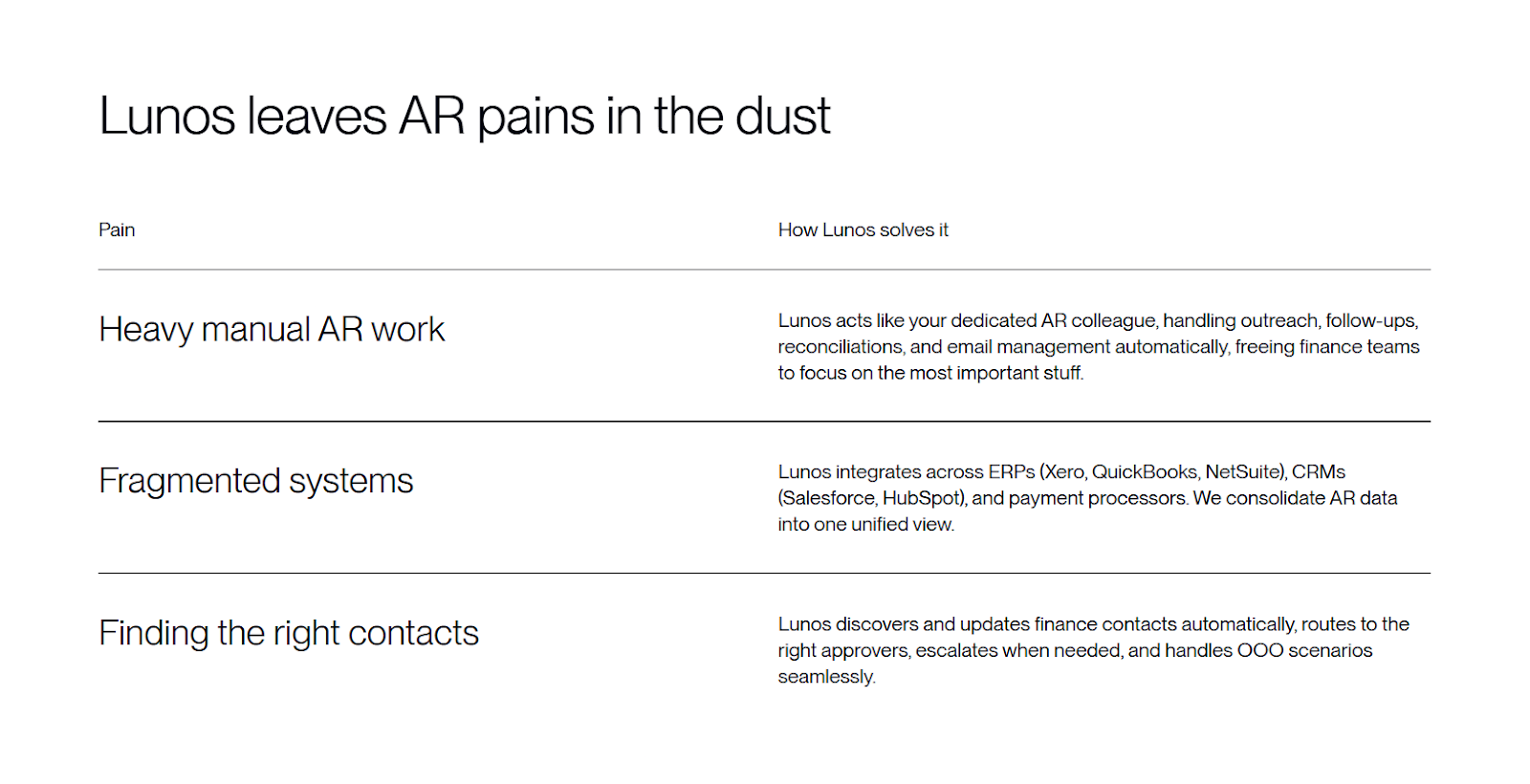
AR can feel like a never-ending frontier, and every customer is a new test. One day, it’s a ‘we’ll pay next week’ email; the next, it’s radio silence. Lunos acts as your AI coworker: it actually reads customer replies, schedules just-right follow-ups, and adapts to each situation so you spend less time chasing and more time celebrating wins. And you always decide how hands-on Lunos gets: Monitor, Suggest, or Act, with full transparency.
Key Features
- AI-Powered Collections: Reads and responds to customer emails like a real teammate, adjusting tone and timing based on payment history and what your customer actually says.
- Full Integration: Syncs seamlessly with your ERP, CRM, and payment systems.
- Personalized Follow-Ups: Adapts messaging for each customer.
- Full control: Monitor, Suggest, or Act—decide how much Lunos does, with total transparency at every step.
- Simplified Dashboard: AR tasks, overdue invoices, and payments all in one easy-to-use dashboard.
Pricing
- Starter Plan: Free with Monitor and Suggest modes; Act mode incurs a 0.3% fee on collected invoice value.
- Pro Plan: $200 per month plus a 0.3% fee in Act mode. Includes added control and customization.
- Enterprise Plan: Custom pricing with discounts and advanced features available.
Pros
- Fast, low-lift setup that connects to your existing AR workflow in minutes with no IT project.
- Automates far more than typical AR tools by reading replies, understanding context, looping in the right colleagues and escalating issues automatically.
- Drives materially faster payments with intelligent, personalized follow-ups tailored to each customer’s behavior.
- Handles large, complex AR workloads, including multi-site customers, many invoices per account, and consolidated statements, without adding headcount.
- Flexible automation modes (Monitor, Suggest, Act) so teams stay in control while scaling where it has the highest impact.
Con
- If your business uses a highly unusual or niche tech stack, Lunos may require custom integration work to fully support your systems, but we’re here to help you every step of the way.
2. HighRadius
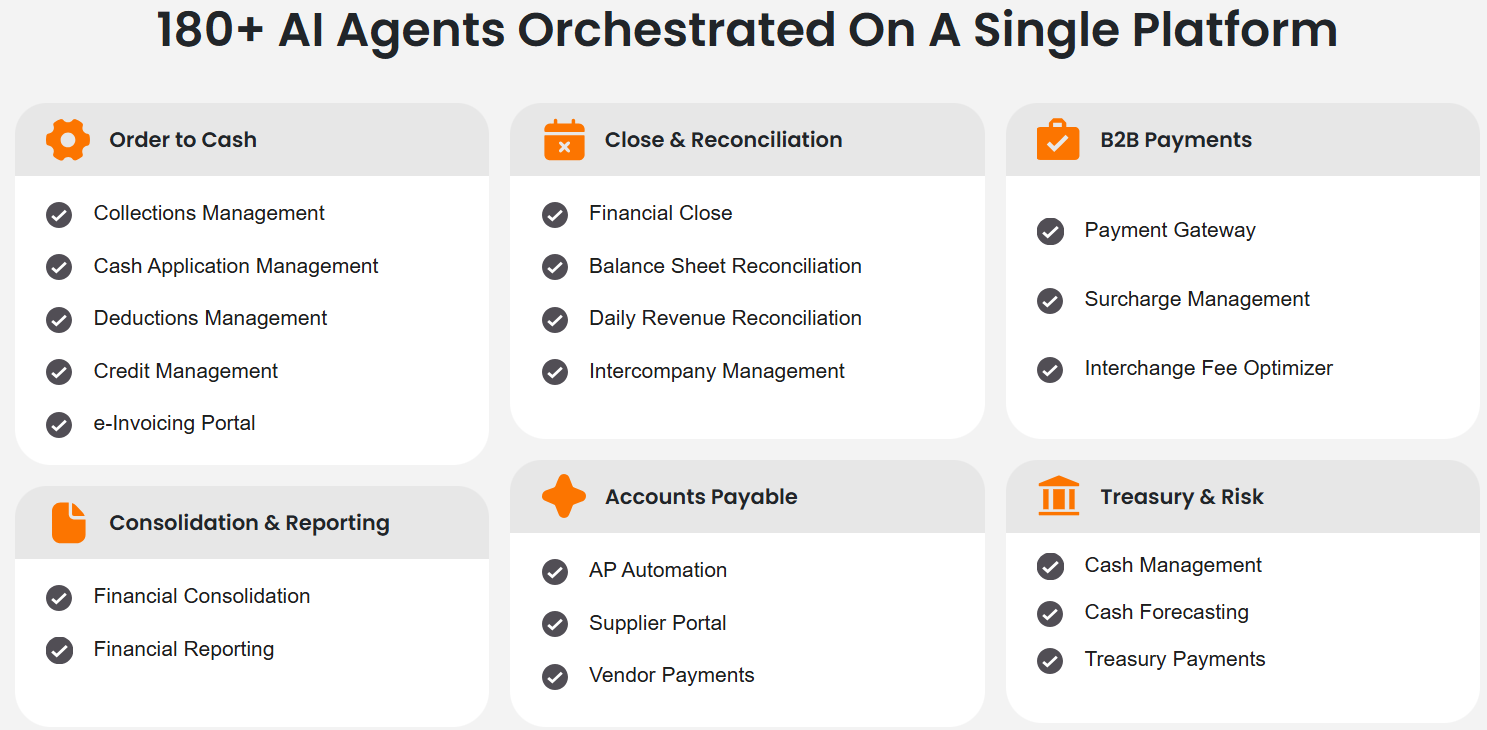
HighRadius is designed for large enterprises that need a comprehensive, scalable invoice-to-cash solution. It combines AI-powered forecasting, automated invoicing, and payment reconciliation with robust reporting and data analytics. It excels in environments where high-volume transactions and complex workflows are the norm.
Key Features
- End‑to‑end invoice‑to‑cash (I2C) automation
- AI‑powered forecasting and prioritisation of accounts
- Automated cash application
- Integrations with major ERPs, CRMs, global banking networks, and credit agencies
Pricing
- Custom quotes only. Contact HighRadius for details.
Pros
- Designed for enterprise scale, able to handle high volumes and complex AR operations
- AI capabilities enable prioritisation of work, speeding up collections and reducing DSO
- Strong cash application automation reduces manual matching and errors
- Extensive ERP/integration support ensures it can fit into large finance stacks
- Proven case studies of significant improvements in AR KPI metrics
Cons
- Implementation is complex and may require substantial internal resources and time
- Cost may be high for smaller or mid‑market teams
- Offers AI-assisted features, but not a fully autonomous AI agent that doesn’t require manual intervention
3. BlackLine Invoice-to-Cash
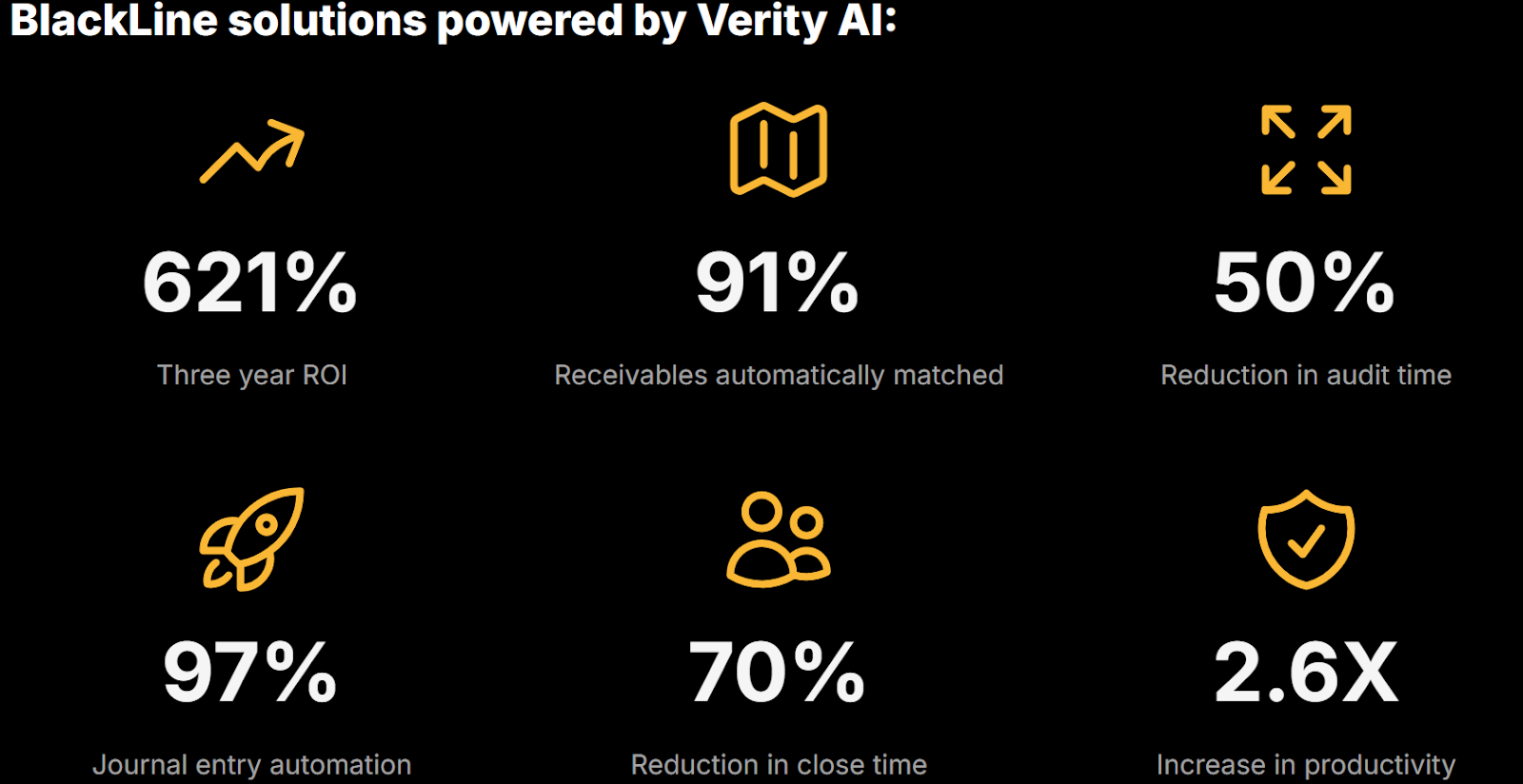
With BlackLine Invoice-to-Cash, finance teams can automate their AR processes while maintaining complete visibility into collections, reconciliations, and payment applications. It’s particularly well-suited for large, global organizations that require robust audit trails and compliance reporting.
Key Features
- AI‑powered invoice‑to‑cash suite
- Supports high auto‑match rates and handles remittances from multiple formats
- Centralised reporting and analytics for AR health, payment trends, and control/compliance dashboards
Pricing
- Subscription model based on modules, size, and users. Custom quotes only.
Pros
- Strong enterprise-level feature set tailored for global AR operations and compliance needs
- High auto‑application rates free up cash‑application teams for exceptions and strategy
- Comprehensive analytics provide visibility into AR, collections, and payment trends
- Good fit for organisations with global scale, many entities, and complex workflows
- High user ratings for improving AR efficiency and accuracy
Cons
- Costs and complexity may make it less suitable for smaller companies
- Interface and integrations require heavy configuration/training
- Because pricing is opaque and highly variable, ROI may require careful justification and tracking
4. Invoiced
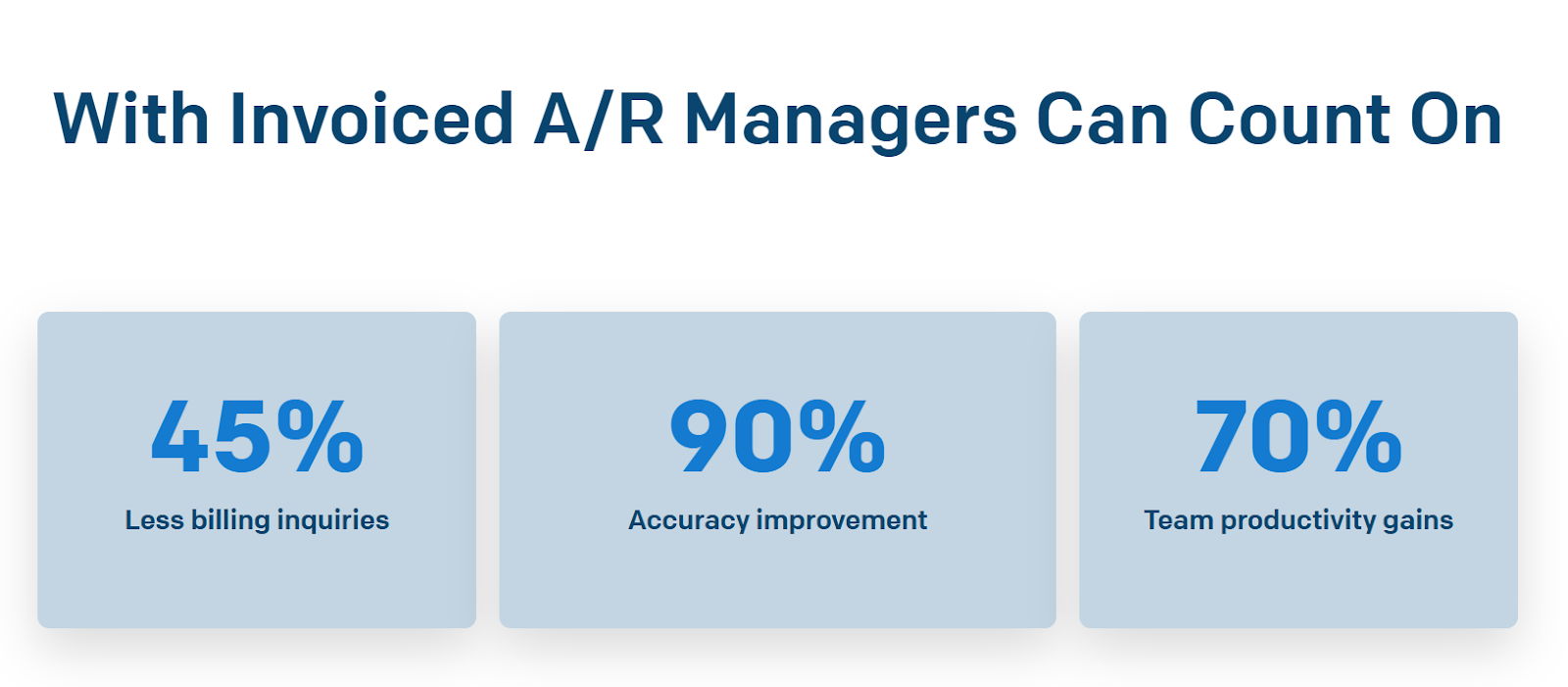
Invoiced is perfect for growing businesses that need a reliable yet cost-effective invoice-to-cash solution. It automates AR processes such as payment reconciliation and follow-ups, reducing the manual burden on AR teams.
Key Features
- Automated invoicing and payment reconciliation to streamline AR workflows.
- Customizable reminders and dunning workflows tailored by invoice or customer.
- Real‑time AR dashboards and cash‑collection forecasting.
- Integrations with ERP/CRM/payment platforms.
Pricing
- Quotes required for larger organizations and higher usage tiers.
Pros
- Affordable option for mid‑market organizations with limited budgets
- Easy to set up and start using; intuitive interface
- Offers robust automation across invoice delivery, reminders, and reconciliation
- Strong integrations enabling end‑to‑cash workflows
- Real‑time dashboards give visibility into AR performance and outstanding invoices
Cons
- Lacks the conversational, adaptive AI coworker capability found in more advanced solutions
- Customization options may be more limited compared to enterprise-grade products
- Higher‑end pricing tiers and features may increase the cost significantly for larger volumes
5. Gaviti
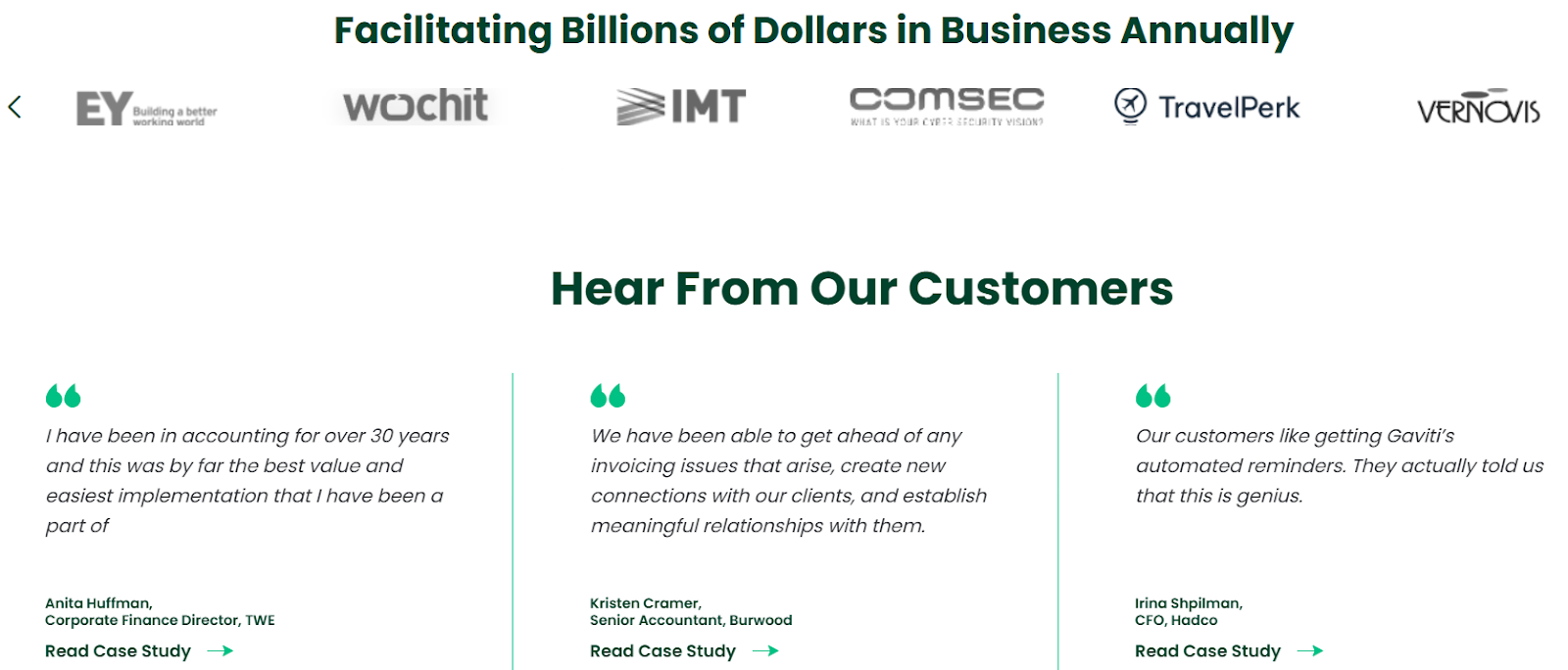
With AI-driven workflows, Gaviti helps AR teams manage dunning, ensure consistent follow-ups, and reduce manual errors.
Key Features
- AI‑powered dunning workflows and automated reminders for overdue payments.
- Multi‑channel customer communication for follow‑ups.
- Automated cash application and deduction management with high accuracy.
- Real‑time dashboards and credit risk insights enabling proactive AR management.
Pricing
- Modular, based on unique invoiced customers.
Pros
- Strong focus on collections and overdue invoice management
- Multi‑channel outreach ensures a broader customer reach
- Automated matching and cash application reduce manual work
- Credit risk monitoring adds a proactive dimension
- Scalable for companies that invoice on terms and need flexibility
Cons
- Doesn’t deliver full AI coworker-style conversational intelligence like the top‑end solutions
- ERP integrations may require additional setup or cost
- Occasional UI issues in less‑common workflows
6. Peakflo
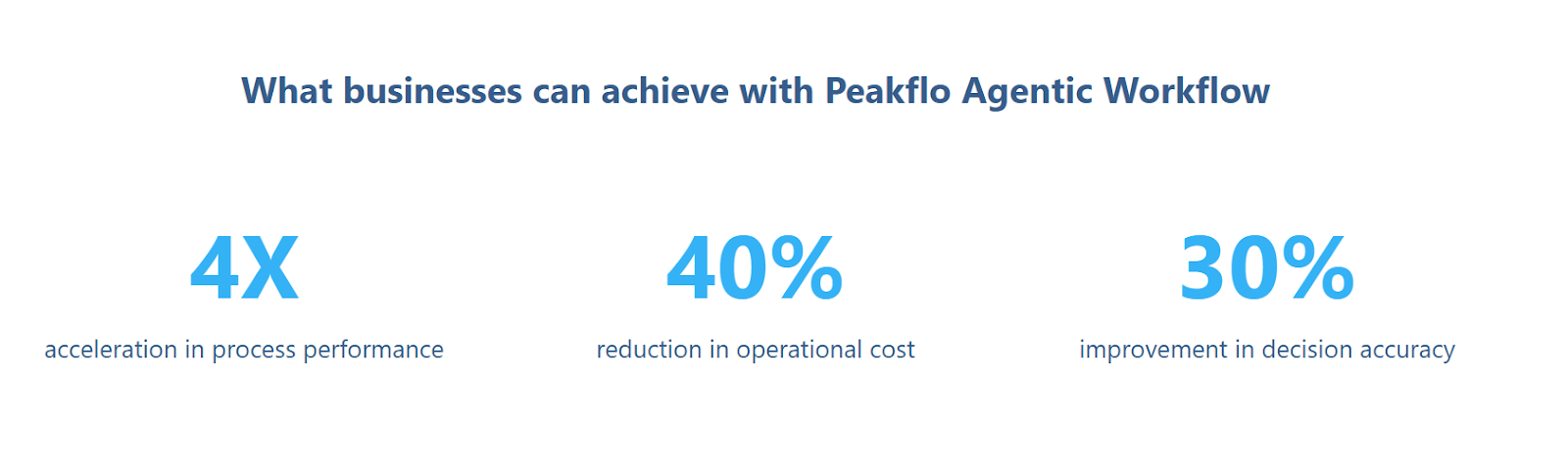
Peakflo is tailored for regional businesses needing a multichannel invoice-to-cash solution. It focuses on collecting payments through various channels, like SMS and WhatsApp, making it a solid choice for businesses targeting diverse customer bases.
Key Features
- Multi‑channel invoice collection and reminders.
- Real‑time dashboards and payment‑status tracking for invoices.
- Customizable workflows to send reminders based on customer segments and behavior.
- Integration with common ERP/CRM systems.
Pricing
- Starting at $499/month.
Pros
- Well‑suited for regional companies needing multi‑channel collections
- Flexible workflows and easy configuration for various business models
- Gives real‑time visibility into invoice status and payment behavior
- Strong value for growing teams looking to scale AR without heavy overhead
- User‑friendly interface and setup
Cons
- While flexible, it lacks the full conversational AI capabilities of an AI coworker
- Some users report a less mature feature set in highly complex workflows
- Multi‑region/global coverage and support may be weaker than those of enterprise vendors
7. Esker
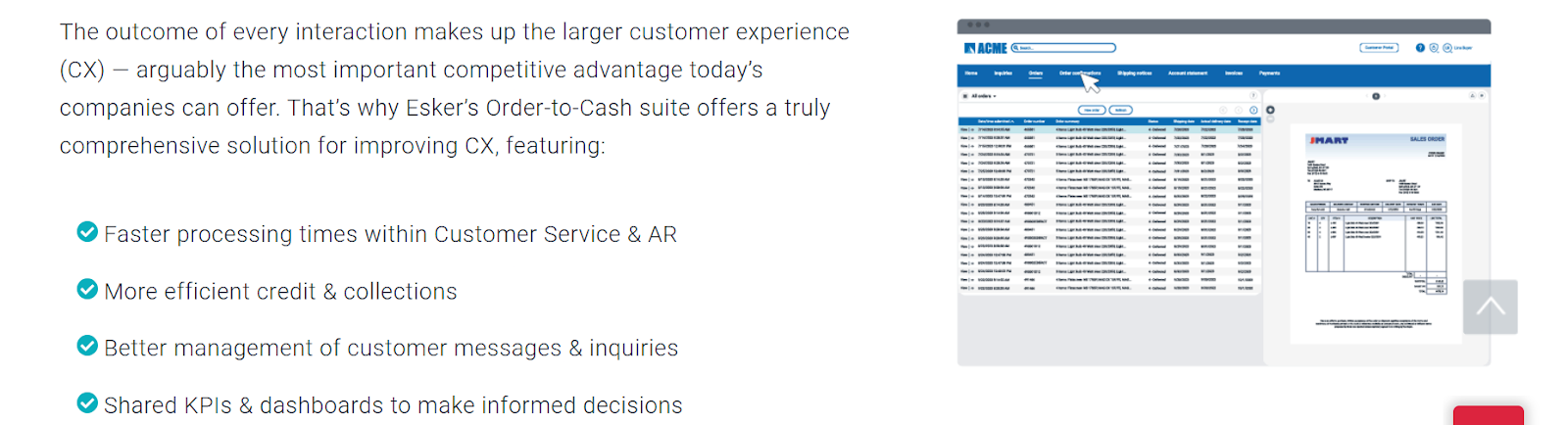
Esker is built for finance teams that want structured, intelligent AR automation without losing visibility or control. It centralizes invoicing, collections activity, and customer communication into one workflow.
Key Features
- Real-time dashboards and analytics to monitor aging, disputes, and cash flow trends
- Centralized communication hub for managing customer inquiries and follow-ups
- Automated payment reminders and customizable workflow rules
Pricing
- Contact the vendor for a quote.
Pros
- Strong automation across every stage of AR
- Excellent visibility into collection bottlenecks and cash flow performance
- Powerful ERP integrations for global operations
- Advanced analytics to guide collections strategies
- Reduces manual workloads and errors
Cons
- Implementation can be lengthy for smaller teams or companies without technical support
- Pricing may be too high for small or mid-sized businesses
- Feature depth can feel overwhelming for teams that want simpler AR workflows
8. Zoho Books
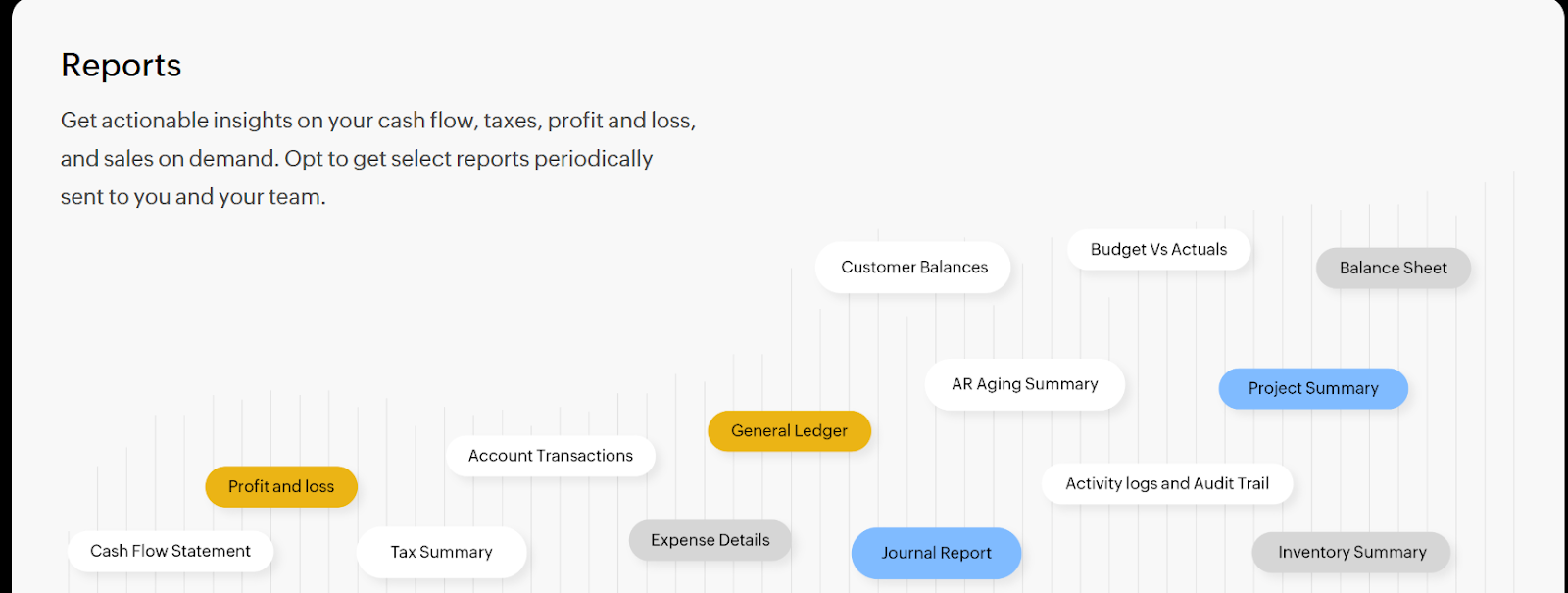
Zoho Books is a great fit for small and mid-sized businesses that want simple AR automation paired with affordable pricing. It offers an easy setup, customizable workflows, and a broad suite of supporting tools across the Zoho ecosystem.
Key Features
- Automated invoicing, reminders, and reconciliation
- Client self-service portals for invoice viewing and payments
- Integrations across Zoho CRM, Zoho Inventory, Zoho Analytics, and third-party apps
Pricing
- Plans start at $15/month, with higher tiers offering advanced workflows, multi-user access, and expanded integrations.
Pros
- Affordable and accessible for smaller finance teams
- Clean interface with easy setup and strong workplace customization options
- Seamless integration with the larger Zoho ecosystem
- Automated reminders and reporting help maintain a reliable cash flow
- Frequent updates and strong user support
Cons
- Limited capabilities for enterprises with complex, global AR requirements
- Fewer advanced AR automation features compared to higher-end platforms
- Integrations outside the Zoho ecosystem can feel limited or require workarounds
9. Quadient AR Automation by YayPay
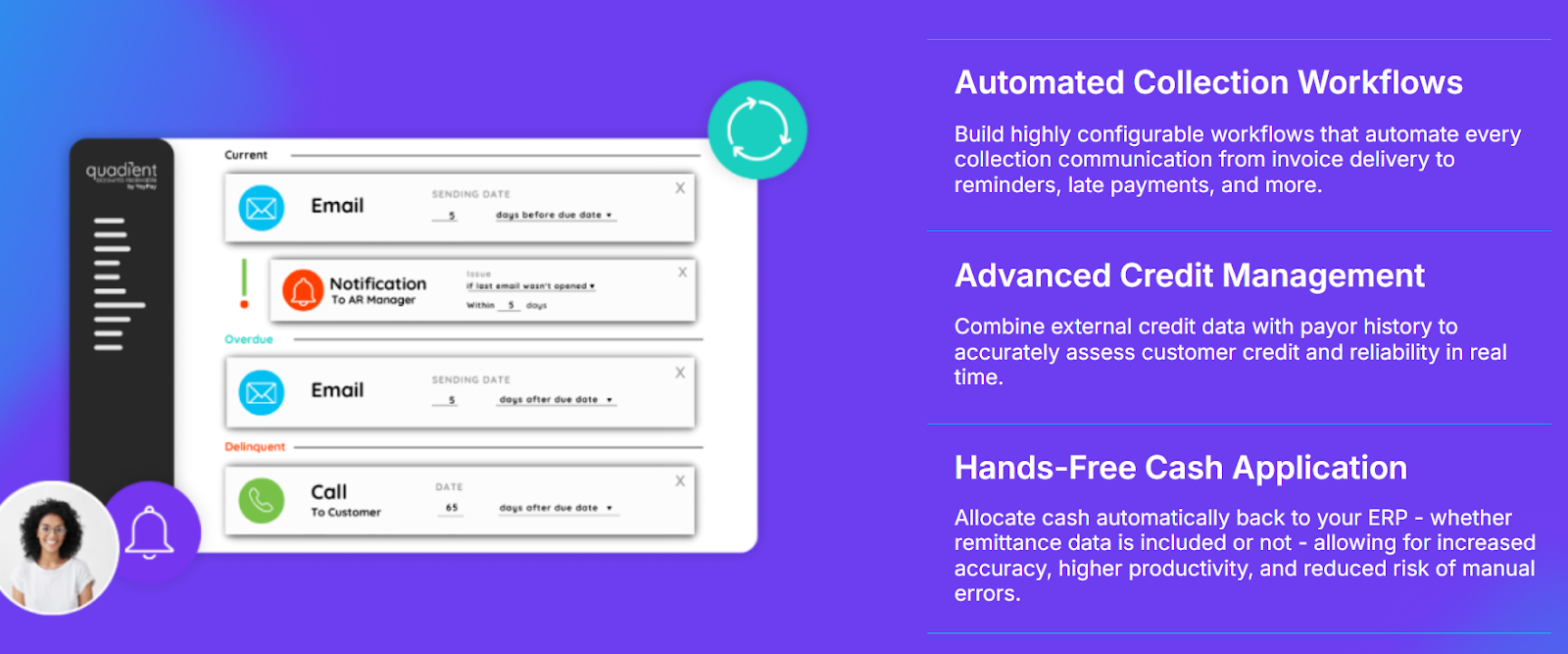
YayPay offers predictive collections powered by AI, providing AR teams with insights into which accounts are at risk of non-payment. This makes it a great tool for businesses looking to forecast cash flow more accurately.
Key Features
- Predictive analytics to identify at‑risk accounts and prioritize collections
- Automated workflows and self‑service customer portals for payments and invoice tracking
- Multi‑currency support and integrations with ERP systems
Pricing
- Custom pricing; contact the vendor for a quote.
Pros
- Excellent for organizations wanting predictive insights and risk‑based AR
- Automates outreach and prioritization so teams focus on high-risk accounts
- Improves cash flow and payment forecasting
- Good for mid‑market and enterprise firms needing strong automation
- Self‑service portals improve customer experience and payment speed
Cons
- Doesn’t deliver the AI coworker style two‑way conversational intelligence of top‑tier solutions
- Implementation may be longer for predictive models to become accurate
- Limited customization of certain dashboards
10. Versapay
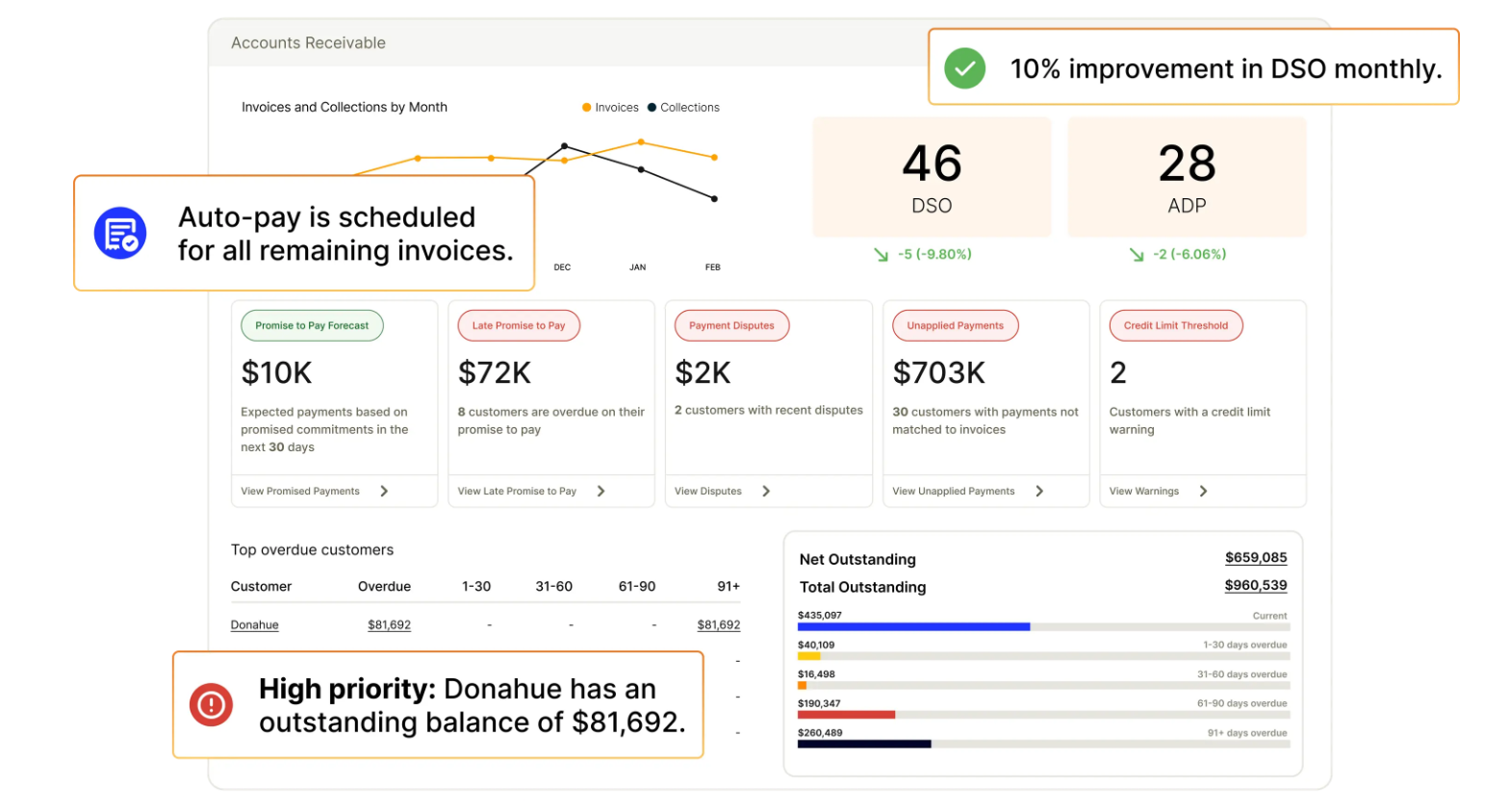
Versapay excels in environments where collaboration between finance teams and customers is key. It offers customer portals for easy collaboration and communication about payments, making it a strong choice for businesses that need to maintain strong relationships with their clients.
Key Features
- Full invoice‑to‑cash automation, such as digital invoice delivery, collections, cash application, and payments
- Customer portals and collaboration tools enable customers to view, pay, and dispute invoices online
- Strong ERP integrations and support for large organizations
Pricing
- Customized subscription pricing per customer
Pros
- Great for finance teams needing customer‑facing collaboration and self‑service portals
- Unifies invoicing, collections, payments, and cash application in one platform
- Strong ERP integrations support large enterprises
- Improves customer experience by reducing invoice disputes and manual communications
- Helps reduce past‑due invoices and accelerate payments with automated workflows
Cons
- Does not deliver full conversational AI coworker-style interaction like the highest-end solutions
- Setup and onboarding may be time‑consuming for organizations
- Cost may be higher relative to simpler mid‑market tools
What to Look for in Invoice-to-Cash Software
Most invoice-to-cash tools automate only the obvious steps: sending reminders, updating statuses, and running simple workflows, so teams still spend huge amounts of time jumping in as soon as anything non-standard happens (which is almost always). The right solution should solve the whole problem, not just the easy parts: it should understand customer responses, manage back-and-forth, and decide the next right action without human intervention. That’s what sets Lunos apart: instead of rigid workflows, it acts like an AI coworker that adapts in real time, handles edge cases, and keeps the process moving so you spend less time chasing and get paid faster.
Additionally, it would be helpful to ensure the software supports email, SMS, and other channels for dunning and payment reminders. Your software should also integrate seamlessly with your ERP, CRM, and payment systems.
As your business grows, so will your AR volume. It is important to make sure the tool can scale without requiring additional headcount or complexity. Finally, effective reporting and analytics, such as strong cash-flow forecasting and payment tracking, are essential for AR success.
Conclusion
If you want to spend more time actually collecting, you’ll need to prioritize AI adaptability, seamless integrations, and scalability. Lunos is here to help you bring order to the AR chaos, like adding a steady, tireless teammate who always has your back. Want to see how an AI coworker changes collections? Start your demo today, and let’s make cash flow one less thing you have to worry about.