The Cash Application Process: Step by Step
Quick Summary
- The process runs in six steps, from capturing the payment data to reconciling back to the bank
- Steps 1 and 2 happen in parallel and from different sources, because the money and the remittance arrive separately
- Bank file format decides how much you can automate before you've done anything else. BAI2 carries invoice-level detail, plain BAI doesn't
- Matching works down a hierarchy of identifiers, from an exact reference to a fuzzy amount-and-date guess. Where you stop on that ladder is a policy decision, not a technical one
- Exceptions are the whole job. Route them by why they broke, not by how big they are
- Deductions leave the matching flow and go to a coded validation process instead
- The journal entry is where this turns into accounting. Cash gets debited, AR gets credited, and partials, fees, and write-offs each need their own treatment
Most of your payments should never reach the exception queue at all.
The process at a glance
Cash application usually gets described in three steps: receive the payment, match it, post it. That's accurate, and it's much too coarse to be useful. It skips the parts that break.
The full sequence has six steps:
- Capture the payment data from your bank
- Capture the remittance advice, which arrives separately
- Match the payment to the invoices
- Work the exceptions that didn't match
- Handle deductions as their own track
- Post to the ledger and reconcile to the bank
Steps 1 and 2 run at the same time from different sources, and that's the quirk that makes the whole thing hard. The rest follow in order.
Step 1: Capture the payment data
Everything starts with knowing what hit your bank account, and in what form.
The channels payments arrive through
Your payment mix decides how much of this you can automate, so it's worth writing down before anything else:
- ACH credits: cheap and common, carrying a short reference field that customers often leave blank or fill badly
- Wires: higher value, better reference fields, usually low volume
- Checks: still meaningful in some sectors, usually arriving through a bank lockbox
- Card payments: settle net of fees, so the amount received never equals the invoice
- Payment portals and links: the best case, because the customer tells you what they're paying at the moment they pay
Card fees are worth calling out. If a customer pays a $5,000 invoice by card and you receive $4,855, an exact-amount match rule will fail on every single one of them. That's a tolerance rule you set once, not an exception you work forever.

Bank file formats, and why the choice matters
Your bank sends payment data as a file, and the format of that file sets a ceiling on your automation before you've configured anything.
- BAI2: the format worth asking for. It carries payment detail at the item level, including invoice-level breakdown where the payer supplied it
- BAI: the older summary version. It tells you money arrived without telling you what for
- EDI 823: a lockbox report from your bank, covering deposit and batch detail. It doesn't carry remittance line-item data
- EDI 820: a payment order and remittance advice sent by your customer, not your bank. When a large customer offers it, take it
- ISO 20022 / CAMT: the newer international standard, richer than BAI2 and increasingly the default outside the US
In practice that's a big difference. A BAI2 file supports partial application, where the invoices the bank can identify get cleared and the remainder lands on account. A plain BAI file leaves you matching from a total.
If you take one action from this chapter, call your bank and ask which formats they can send you. Teams run for years on a summary file because nobody ever asked.
Lockbox, if you still take checks
A lockbox is a service where your bank receives your checks directly, deposits them, and captures the remittance data from the paper.
It's worth having if check volume justifies it, and the pricing is what you'll want to watch. Banks charge per item for keying remittance data from checks and PDFs. So a lockbox that looks cheap per check gets expensive once you count the keying.
So go and look at your own statement before you assume. Lockbox fees are one of the few costs in this process that show up as a line item you can see.
Step 2: Capture the remittance advice
The remittance advice tells you what the payment is for. Chasing it is where you'll lose most of your time.
It arrives through more channels than the payment does:
- An email to a shared AR inbox, with the detail in the body or a PDF attached
- An EDI 820 file, from customers large enough to run EDI
- A customer AP portal you have to log into and export from, like Coupa, Ariba, or Tipalti
- A spreadsheet attachment in whatever layout that customer happens to use
- A scanned image or a photo of a check stub
- Nothing at all
The formats matter because each one needs different handling. An EDI 820 parses automatically, and a structured CSV parses with a bit of mapping work. A PDF needs extraction, a scanned image needs OCR and then a human check, and a portal needs somebody to log in.
Two changes make this dramatically easier, and both are upstream:
- Ask for remittance in a specific place and a specific form. A dedicated remittance address beats a general AR inbox, because everything landing there is the same kind of document. Put it on the invoice.
- Give payers a reference that survives the journey. Bank reference fields are short and get truncated. A short invoice number or a customer-specific code travels better than a long descriptive string.
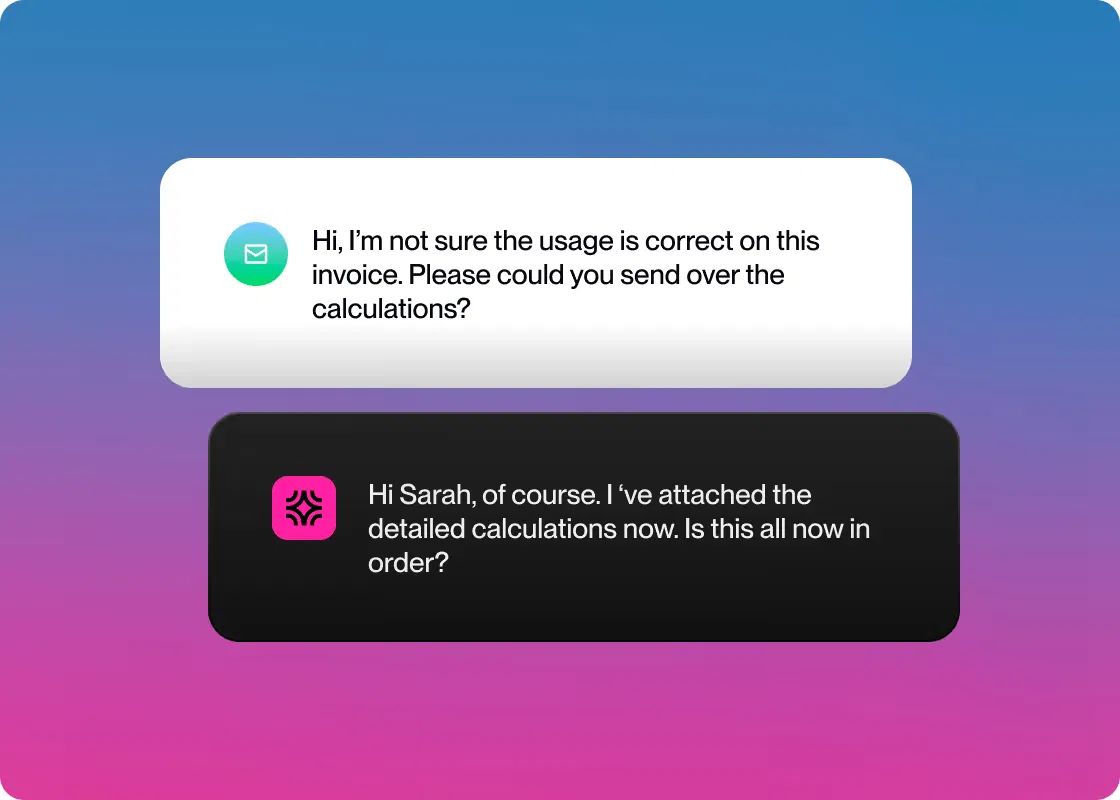
When remittance genuinely doesn't arrive, you have to ask. Treat that ask as a customer message, because it works far better attached to a thank-you for paying than sent as a cold data request. Chapter 3 covers how to write it.
Step 3: Match the payment to the invoices
Matching works down a ladder, from the most reliable signal to the least. Good systems and good analysts both work it in the same order.
- An exact reference: the payment carries an invoice number that exists and is open. Match it and move on
- A remittance file: the customer told you exactly what they're paying, so apply it line by line
- An exact amount against one open invoice: one invoice, one payment, same number, right customer
- A combination match: the amount equals the sum of several open invoices for that customer. Usually a payment run
- Amount plus context: the amount is close but not exact, and the difference matches a known credit, a card fee, or a bank charge
- A fuzzy guess: roughly the right amount, roughly the right time, right customer. No confirmation
That last rung deserves a straight answer, because it's where most bad matches come from.
The tolerance question
Small differences turn up constantly. It might be a few dollars of bank charges, an FX rounding difference, a card fee, or an early-payment discount the customer took.
You set a tolerance, which is the size of difference your system will absorb without asking a human. Under the threshold, the payment applies and the remainder gets written off to a variance account. Over it, the payment becomes an exception.
Set it too tight and you drown in trivial exceptions. Set it too loose and you write off money quietly, month after month, with nobody looking at it.
Two thresholds work better than one. You want a small absolute amount for automatic write-off, plus a percentage cap. That way a tolerance built for a $500 invoice never gets applied to a $500,000 one. Review what the tolerance account absorbs every quarter, because that account is where slow leaks hide.
Where to stop guessing
A guessed match that turns out wrong is more expensive than an unmatched payment, and it's worth understanding why.
An unmatched payment sits visibly in a queue. Somebody deals with it. A wrong match closes the wrong invoice, leaves the right one open, and hides itself. Two months later your collections team is chasing a customer for money they paid, and the customer's confidence in you drops.
So the honest policy is to stop at the rung where you'd be comfortable defending the match to the customer. Below that line, ask rather than guess. Asking costs a customer ten seconds, and being wrong costs you a relationship.
Step 4: Work the exception queue
Everything that didn't match becomes an exception. This queue is the actual work of cash application, and how you organize it decides how fast it clears.
Route by what caused the exception, not by how big it is, because each cause needs a completely different fix:

Two habits separate teams who clear this queue from teams who carry it.
- Work by age, not by value: The instinct is to start with the biggest payments. Old exceptions are the ones that get harder, because the person who knows what happened forgets, and the customer's own records get filed away. Ask about a payment from this week and someone remembers it. Ask about one from March and you get a shrug.
- Fix the cause as well as the item: If the same customer generates an exception every month, the cause is their reference format, or their portal, or a field your invoice is missing. Resolve the payment, then go fix the source, or you'll pay for the same investigation next month.
Step 5: Handle deductions properly
Every deduction gets a reason code at the moment it's identified. The codes matter because they're what lets you see patterns later:
- Pricing or quantity discrepancy
- Trade, promotional, or rebate allowance
- Shortage, damage, or returns claim
- Freight or compliance chargeback
- Unauthorized or unexplained deduction
- Early payment discount taken outside terms
Without codes you have a pile of short payments. With codes you can see that 60% of your deduction value comes from one customer's freight chargebacks, which is a conversation you can have.
Decide validity fast
Pull the supporting paperwork, which usually means the promotional agreement, the proof of delivery, the pricing contract, or the prior claim history. Then make the call quickly.
Valid deductions get approved and cleared, which is what a dispute management agent is built to speed up. Fighting a legitimate allowance costs more in goodwill and analyst time than the money involved.
Invalid deductions get documented and collected back, with the evidence attached to the claim. That means the delivery note showing full quantity, or the price list showing the agreed rate.

Speed matters because an open deduction ages in your aging report exactly like an unpaid invoice. It inflates your DSO and hides where your risk really is. A slow deduction process quietly fills your past-due buckets with money that was never late.
Fix what's generating them
A rising deduction rate points upstream every time. The usual sources are a price list that doesn't match the contract, a fulfillment problem creating shortage claims, or terms sales agreed that finance never saw.
If you sell into large retailers, particularly in CPG or food and beverage, deduction volume gets high. It's usually high enough to justify its own headcount, rather than squeezing the work in alongside general AR.
For the wider dispute process that sits alongside this, see our guide to accounts receivable dispute resolution.
See how Lunos solves this
Chasing a customer for remittance is a communication problem, not a data problem. The Lunos cash application agent asks the payer which invoices they meant to cover. The question rides along with a thank-you for paying rather than arriving as a cold request. Most customers answer in seconds, because they already know the answer.
Step 6: Post to the ledger and reconcile
Matching decides what happened. Posting is what puts it in your accounts.
The journal entry
The core entry is straightforward. You debit cash and credit accounts receivable for the amount applied, and the invoices close.
The variations are where you have to be careful:
- A partial payment applies what was received and leaves the balance open, rather than closing the invoice
- A deduction splits the entry, applying the paid portion and moving the deducted amount to a deductions or disputes account until it's resolved
- Bank charges and card fees post to an expense account for the difference, so the invoice still clears in full
- An overpayment creates a credit on the customer's account rather than closing anything extra
- An unidentified payment posts to unapplied cash, which is a holding position and not a resting place
- A tolerance write-off goes to a variance account, which somebody should be reviewing
Getting these right keeps your general ledger and subledger in agreement. Getting them wrong creates differences that surface at year end, when finding them is hardest.
Reconcile back to the bank
The last step confirms that the total you applied agrees with the total that arrived in the bank account. Daily is the right rhythm for most teams, because a difference found the same day is traceable and a difference found at month end is archaeology.
The check is simple. Total deposits per the bank should equal total cash applied plus whatever sits in unapplied. If those don't tie out, something was missed, double-applied, or posted to the wrong account.
For a wider view of the reconciliation tooling in this space, see our roundup of automated payment reconciliation software.
The whole sequence, running without you
Lunos runs these six steps end to end. It pulls the bank data, parses remittance from your inbox, and matches what's clear. Then it asks the payer about what isn't, and writes clean journal entries back to NetSuite, Xero, or QuickBooks.
Book a demo to see it work through a full day of payments on your ledger.