

Summarize:


13 Best Cash Application Software For 2026 (Compared)

26 March 2026

Quick Summary
Cash application software automates the matching of incoming payments to open invoices, closing the gap between bank deposits and ledger updates that causes stale aging reports and inaccurate forecasting.
Here are our top 3 picks:
Why Cash Application Software Matters
Closing an invoice shouldn't feel like solving a cold case.
Most finance teams operate with a visibility lag. Even after a customer pays, the cash sits in a suspense account because the remittance data is trapped in a messy email thread or a grainy lockbox PDF. This delay turns the sub-ledger into a guessing game, forcing collectors to work off aging reports that are already out of date.
This manual reconciliation hits a breaking point the moment your business scales. What was a minor daily task becomes a massive month-end hurdle when you're dealing with bulk payments that cover dozens of invoices across multiple entities. Standard ERP rules often fail here: they can see the money, but they can't decipher the deductions or short-pays hidden within the remittance.
Modern cash application software acts as the connective tissue between your bank and your ledger, extracting the "why" behind every dollar.
In this article, we'll break down the 11 best cash application tools for 2026, highlighting each platform's key features, pros, cons, and pricing.
Why Listen to Us?
Lunos works with finance teams handling 500 to 50,000 invoices per month.

Backed by General Catalyst and Cherry Ventures, we've built AI that reduces manual AR workload by 75% by handling the communication and negotiation that hold up cash application.
13 Best Cash Application Software
1. Lunos
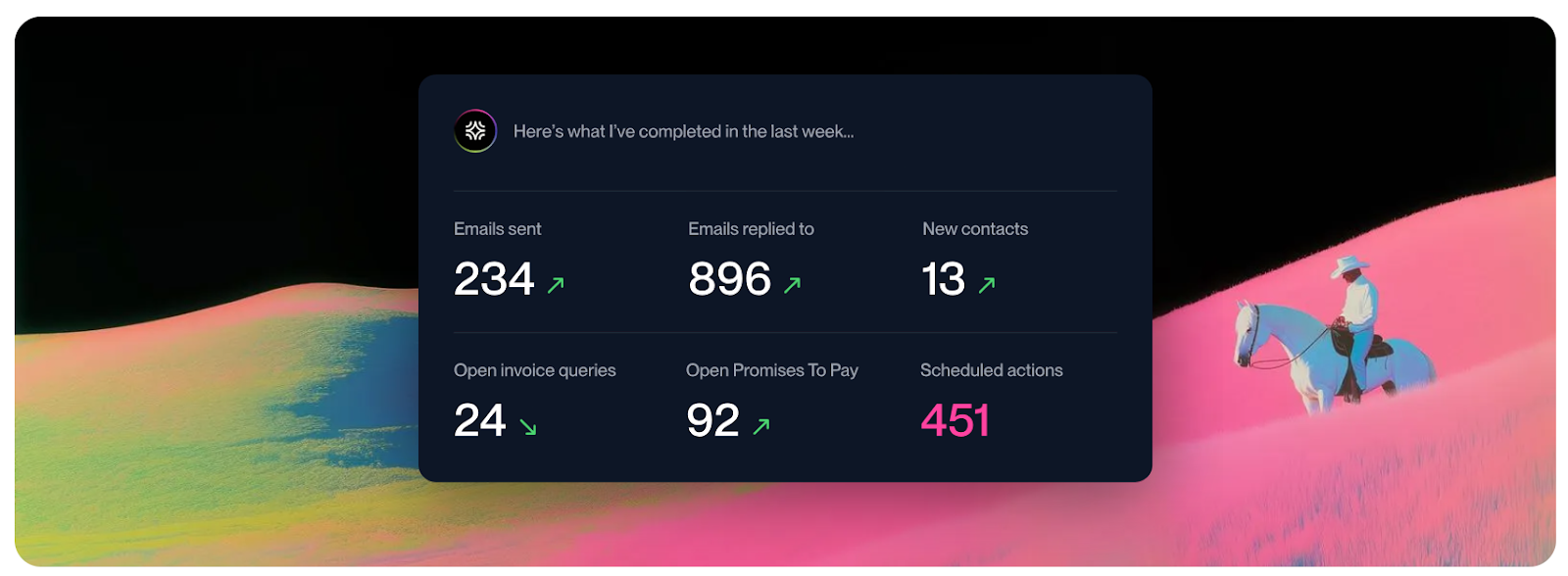
Lunos simplifies the cash application process by handling the communication that often holds it up. While traditional software tries to match payments to invoices with rigid rules, Lunos handles the messy side of the ledger, such as when a customer pays the wrong amount or forgets to send a remittance advice.
Lunos automates the back-and-forth, ensuring the information needed to apply a payment is already organized by the time the money hits your bank account. It acts as a bridge between your customer's inbox and your accounting system, keeping your aging report accurate without the manual data entry usually required to track down missing payment details.
Key Features
- Reads and understands customer emails to identify if a payment is coming or if a charge is being disputed.
- Let you choose whether the system handles routine follow-ups or just suggests drafts for your team to approve.
- Shares daily updates and approval requests directly in Slack so you can clear payment hurdles where you already work.
- Automatically adjusts how and when it reaches out to customers based on their specific payment history.
- Maintains a permanent log of every conversation so you can see exactly why a payment hasn't been applied yet.
Pricing
- Starter: $0/month (0.3% fee on collected revenue).
- Pro: $200/month + 0.3% fee.
- Enterprise: Custom pricing.
Pros
- Clears the communication roadblocks that usually delay cash application
- Reduces the manual workload of tracking down missing remittances by 75%
- Keeps your cash flow forecasts more accurate by logging payment promises early
- Integrates directly with your accounting software to keep records in sync
Cons
- May not help with phone-based payment tracking
- Requires a stable integration with your accounting system to provide full value
Best For
B2B finance teams that need to automate the communication side of cash application.
2. Serrala
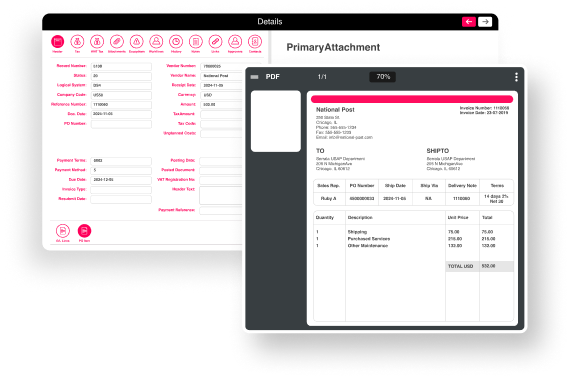
Serrala is built for large, global companies that run their entire operation on SAP. It lives natively within the SAP environment to help businesses manage hundreds of bank accounts across different countries. This cash application software is a specialized solution where security, financial rules, and global compliance are the top priorities.
Key Features
- Operates directly within your SAP environment, keeping all data in a central place.
- Automatically reads and extracts payment information from complex documents and bank files.
- Hooks into a network of international banks to reconcile payments in real-time.
- Let you set specific logic for how payments should be handled across different business units.
- Centralize customer information to help your team resolve payment gaps or errors faster.
Pricing
- Custom: Enterprise-focused pricing based on transaction volume and the number of business entities.
Pros
- Achieves high automatic matching rates for high-volume payments
- Provides a complete suite that handles everything from sales to bank reconciliation
- Built to handle the strict security requirements of global corporations
Cons
- Setup is a major project that typically requires IT support
- The interface can feel complicated and difficult for new users to learn
Best For
Global corporations that use SAP and manage massive payment volumes across countries.
3. HighRadius
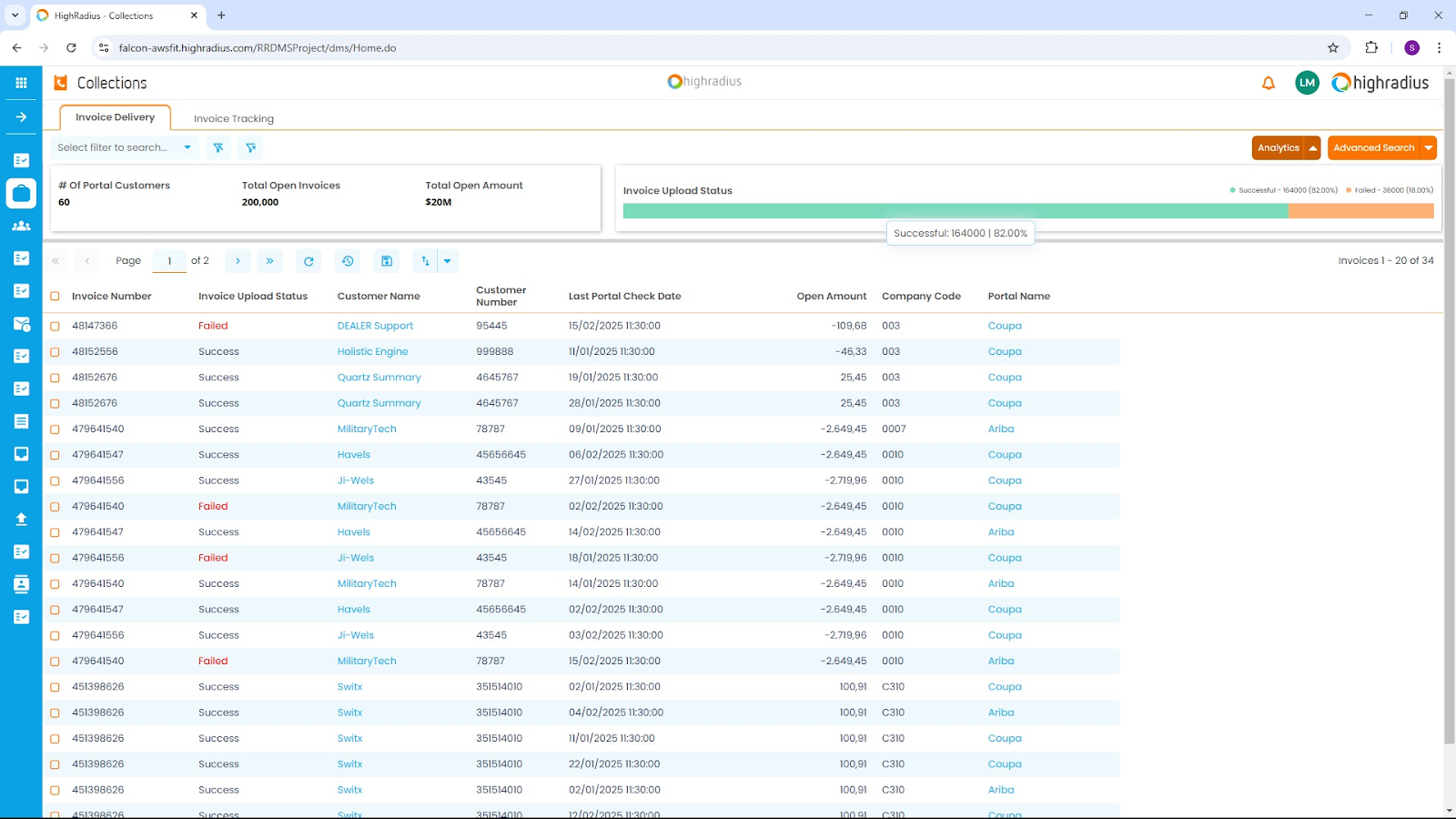
HighRadius connects to your bank, email, and customer portals to gather payment details and post them to your accounting system. This keeps the process moving in large-scale operations where speed and volume are the daily reality.
HighRadius links payments to the right invoices even when customer data is disorganized. It identifies why a customer paid less than the full amount and assigns the correct code in your ledger, ensuring your team only steps in for complex issues.
Key Features
- Gathers payment details automatically from emails, web portals, and bank files.
- Matches payments to invoices even when information is missing or poorly formatted.
- Identifies and logs the reasons for short payments or deductions as they occur.
- Integrates directly with major systems like SAP and Oracle for same-day posting.
- Offers insights into future cash flow based on historical customer payment patterns.
Pricing
- Custom: Subscription pricing based on your transaction volume and the specific tools you use.
Pros
- Achieves high automatic matching rates, often above 90%
- Shows all bank and payment portal data in a single view
- Provides tools for resolving complex customer disputes
Cons
- Implementation requires significant technical support
- High complexity may be more than what a mid-sized company needs
Best For
Large enterprises with high payment volumes.
4. Billtrust
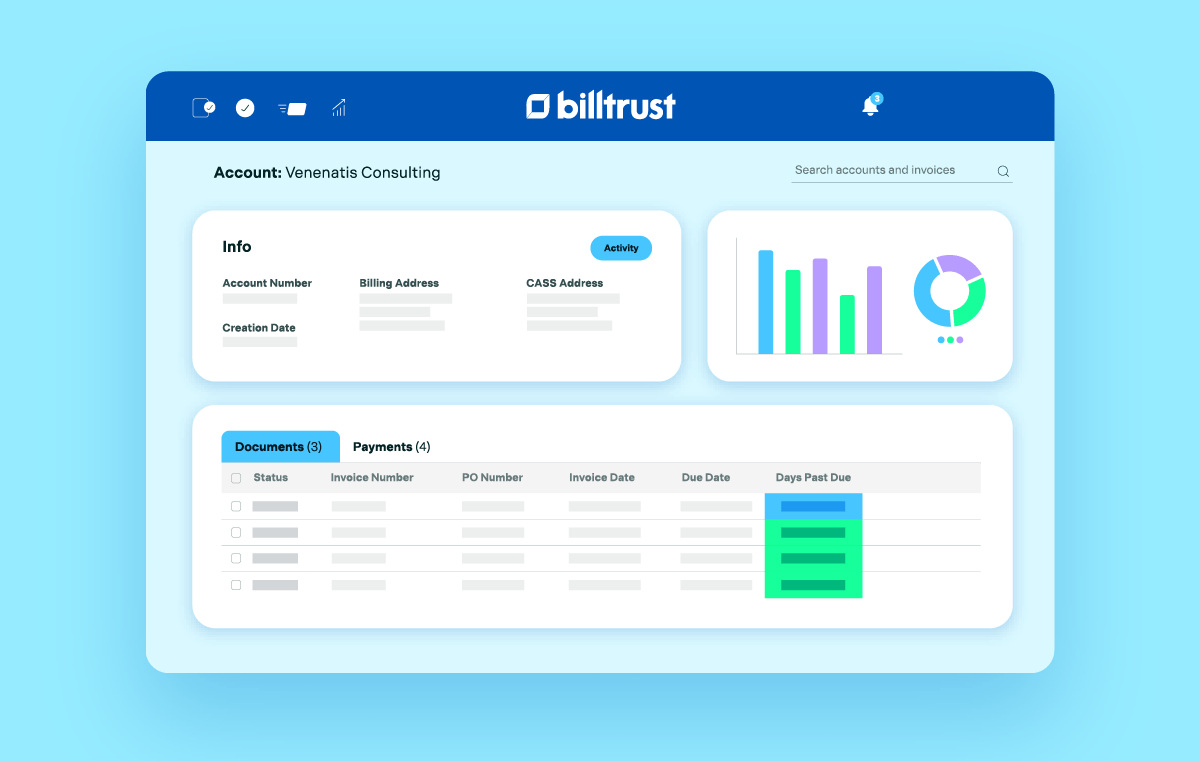
Billtrust pairs electronic and check payments with open items to promptly close invoices. It pulls remittance data from customer portals and email attachments to automatically match it against your records. This reduces time spent hunting for payment details and lowers your overall DSO.
Businesses with customers who pay through multiple channels use Billtrust to centralize data. It ensures your aging report stays accurate while eliminating the need for manual data entry.
Key Features
- Pairs payments to invoices using an engine that learns from past manual corrections.
- Pulls remittance data automatically from customer portals and email attachments.
- Offers a branded portal that allows customers to view, manage, and pay their bills.
- Identifies and categorizes short-payments to speed up how your team handles disputes.
- Integrates with major accounting systems to post payments without manual data entry.
Pricing
Custom: Based on annual transaction volume and the number of specific modules you select.
Pros
- Captures data from diverse sources, including physical checks and virtual cards
- Simplifies the payment experience for customers through a self-service portal
- Reduces errors by automating data extraction from disorganized remittance files
Cons
- Setup can be a lengthy process, depending on your accounting system complexity
- Smaller entities may find the full feature set more than they actually need
Best For
Mid-to-large-sized distributors and manufacturers.
5. Versapay
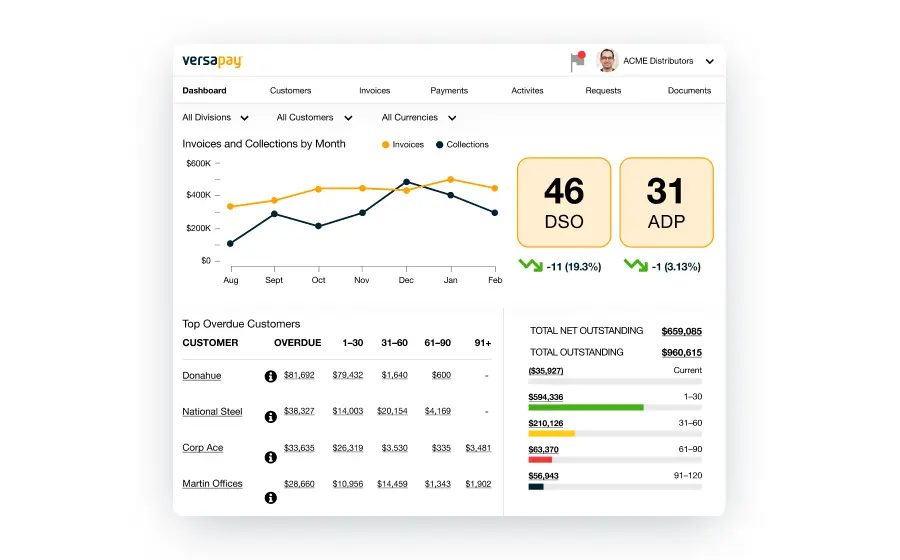
Versapay digitizes remittance data from lockboxes, bank files, and customer emails to resolve payment exceptions. The system provides a shared digital workspace where your team and customers resolve gaps together.
Key Features
- Matches incoming payments with invoices using automated data extraction.
- Pulls remittance details from sources like email attachments and lockboxes.
- Provides a shared portal for customers to view invoices and clarify payment issues.
- Identifies short-payments and automatically requests the missing information.
- Connects with major accounting systems to post cleared payments the same day.
Pricing
- Custom: Based on transaction volume and specific ERP integration requirements.
Pros
- Centralizes customer communication to reduce manual research
- Improves accuracy by extracting data from complex PDF remittances
- Simplifies the resolution process for customers via a shared portal
Cons
- Efficiency depends on customer adoption of the collaborative portal
- Setup requires detailed mapping of existing accounting workflows
Best For
Mid-market and enterprise companies that want to solve payment disputes through direct collaboration with their customers.
6. Esker
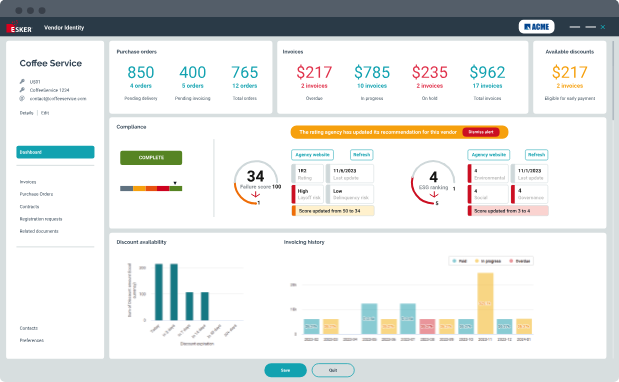
Esker extracts remittance data from PDFs, emails, and customer portals to match payments to invoices. It resolves common discrepancies, such as short payments or missing information, linking directly to your ERP. International operations use this to handle high transaction volumes across various currencies and banking systems.
Customers use a self-service portal to view balances and clarify payment details, which limits back-and-forth inquiries. This keeps the ledger accurate and accelerates the cash collection cycle.
Key Features
- Automated payment matching matches incoming payments to open invoices.
- Remittance data capture collects remittance details from emails, bank files, portals, and scanned documents.
- Exception handling flags unmatched payments and routes them for review.
- Cash visibility dashboards show payment activity and reconciliation status in one place.
- Global payment support handles multiple currencies and international payment formats.
Pricing
- Custom: Enterprise pricing based on annual transaction volume and selected modules.
Pros
- Shortens processing time for complex, multi-line remittances
- Centralizes global payment data for better cash visibility
- Strong compliance and multi-currency support for international teams
Cons
- Implementation requires significant time and customization
- Higher learning curve for the advanced reporting tools
Best For
Large, global enterprises that need to manage high-volume cash applications across regions.
7. Smyyth
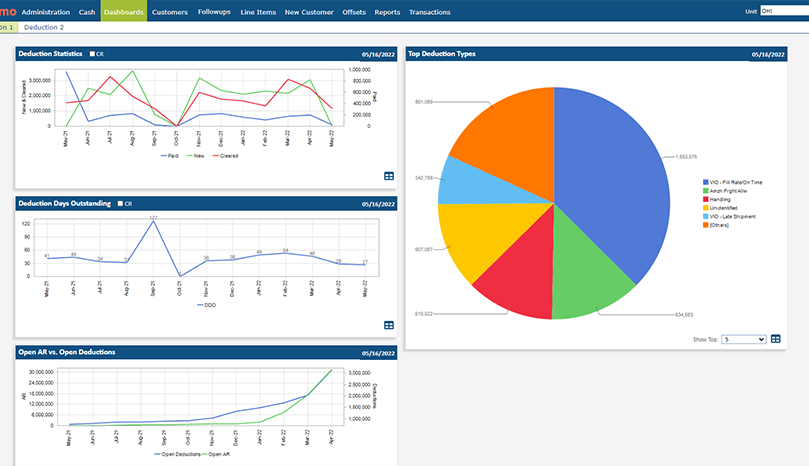
Smyyth handles complex, multi-line payments that often cause manual bottlenecks in large AR departments. The cash application software uses a rule-based engine to match payments to open invoices, ensuring that even partial payments and deductions are captured correctly.
Key Features
- Captures remittance data from images, PDFs, and EDI files.
- Matches payments at the line-item level to address short pays and discounts.
- Generates reason codes for deductions automatically based on your specific rules.
- Integrates with existing ERP systems to post cash and update customer balances.
- Provides a dashboard to track matching rates and unapplied cash across the business.
Pricing
- Custom: Based on transaction volume and required data extraction complexity.
Pros
- High accuracy in matching payments with incomplete or messy remittance info
- Reduces the overhead costs associated with manual lockbox processing
- Speeds up the resolution of short-payments by auto-categorizing deductions
Cons
- Pricing not publicly listed
- Initial rule configuration requires a detailed understanding of your current AR workflows
Best For
Large-scale B2B companies with complex deduction management needs and high volumes of varied payment types.
8. Ledge
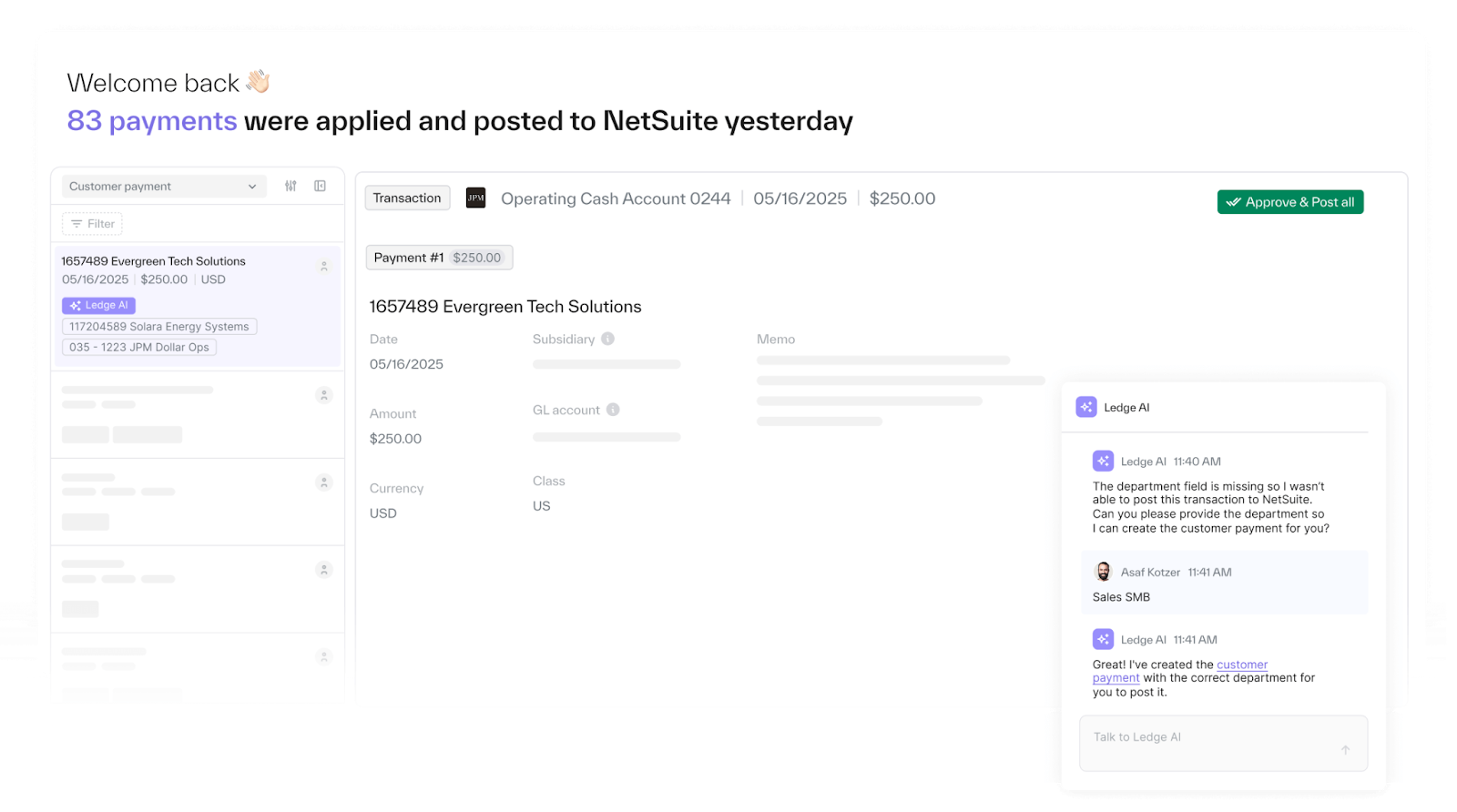
Ledge handles high-volume payments from various banks, processors, and internal systems. It uses deterministic rules to match transactions as they happen, keeping the aging report and general ledger updated throughout the day. This prevents the typical month-end rush by ensuring accounts are reconciled during the daily cycle.
Since the cash application tool is API-based and requires no-code configuration, you can implement it without heavy IT involvement.
Key Features
- Matches payments from banks, processors, and billing systems in a single view.
- Extracts data from emails, PDFs, and shorthand notes in memo lines.
- Suggests fixes for short pays and overpayments based on historical context.
- Posts matched payments and journal entries directly to your ERP.
- Provides a continuous, audit-ready log of every transaction and manual change.
Pricing
- Custom: Platform-based fee tailored to your workflow. No per-seat fees.
Pros
- Faster setup than legacy tools, often completed in weeks
- Handles complex scenarios like FX differences and many-to-one invoice matching
- The pricing model typically includes unlimited users
Cons
- Requires human review for initial exceptions during the learning phase
- Best suited for high transaction volumes, not small-scale operations
Best For
High-growth B2B and fintech companies.
9. Kolleno
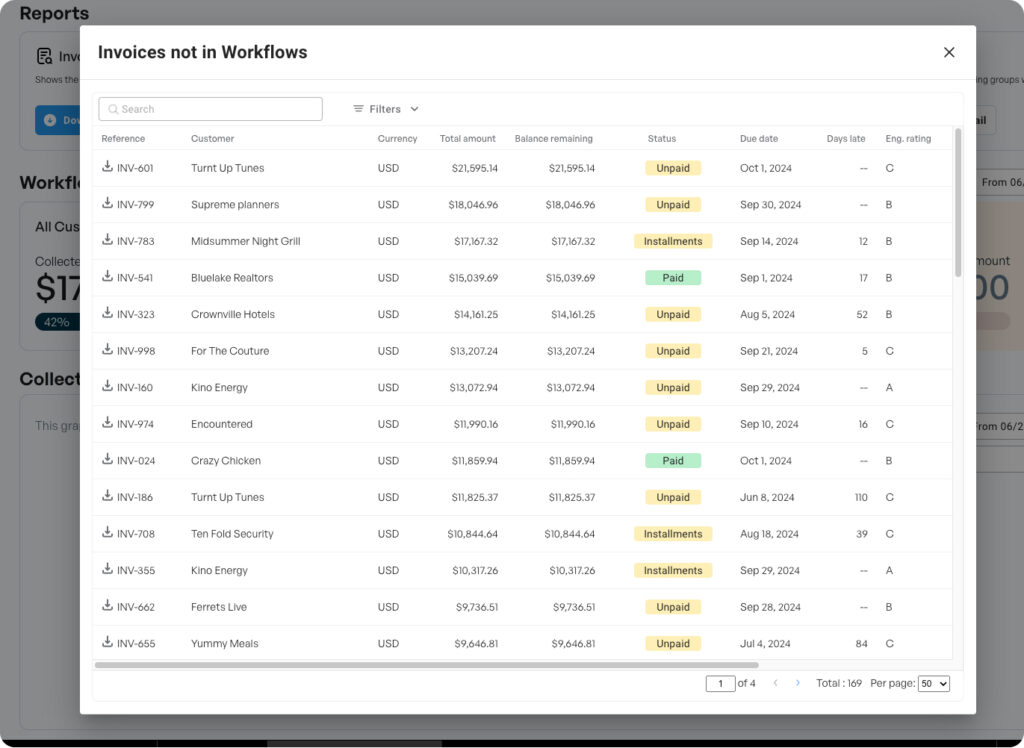
Kolleno pulls payment data from bank feeds, merchant accounts, and emails to close open invoices. It addresses the gap between receiving money and matching it to the right customer account by extracting details from remittance PDFs and CSV files.
Since Kolleno syncs bidirectionally with ERPs such as NetSuite and Microsoft Dynamics, any payment that is matched immediately updates your accounting records. This keeps your collections workflows accurate, ensuring you don't follow up on invoices that have already been settled.
Key Features
- Scans email inboxes and bank statements to pull payment and remittance data.
- Matches bulk payments to multiple individual invoices based on customer history.
- Flag discrepancies, such as short payments, for immediate team review.
- Updates the ERP in real time to ensure the general ledger reflects current cash balances.
- Provides a unified dashboard to track matching rates and unapplied cash.
Pricing
- BusinessPay: $80/user/month (for >$1M turnover).
- Business Plus: $650/user/month (for >$10M turnover).
- Enterprise: Custom (for >$100M turnover).
- Enterprise Plus: Custom (for >$1Bn turnover).
Note: Extra charges may apply for integrations and customizations.
Pros
- Shortens the time between bank deposit and invoice closure
- Prevents awkward collection calls for already-paid invoices
- Quick setup compared to larger enterprise platforms
Cons
- Reporting depth may be limited for very complex international tax structures
- Best results require high-quality digital remittance documents
Best For
Mid-market B2B companies that want to connect their collections process directly to their cash application.
10. Centime
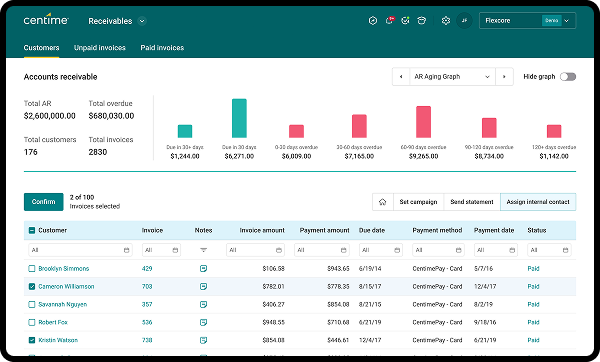
Centime matches payments to invoices directly within the general ledger to maintain an audit-ready trail. It uses a digital lockbox to capture and apply checks and electronic payments, updating account balances in real time. Mid-market companies use this to manage accounts receivable, payables, and banking, ensuring that every transaction is reflected in a 13-week cash flow forecast.
Customers pay through a branded portal via ACH or credit card, which triggers an immediate update to NetSuite, Sage Intacct, or QuickBooks. This setup turns the cash application process into a real-time data source for liquidity planning rather than a manual reconciliation task.
Key Features
- Links payments to invoices via a digital lockbox that handles checks and electronic data.
- Collects payments through a customer-facing portal with integrated merchant services.
- Syncs with NetSuite, Sage Intacct, and QuickBooks for same-day ledger updates.
- Tracks cash KPIs and generates automated 13-week forecasts based on actual ledger activity.
- Includes high-yield operating accounts that earn cash-back on AP spend.
Pricing
- Custom: Based on turnover and specific modules (AR, AP, or Banking) required.
Pros
- Consolidates bank accounts, receivables, and payables into one view
- Earning interest on operating cash can offset the cost of the software
- Embedded directly in major ERPs to minimize syncing delays
Cons
- Limited to specific ERPs like NetSuite and QuickBooks
- Banking features are currently focused on US-based operations
Best For
Growing mid-market businesses that want to tie their cash application directly to their banking and treasury management.
11. Tesorio
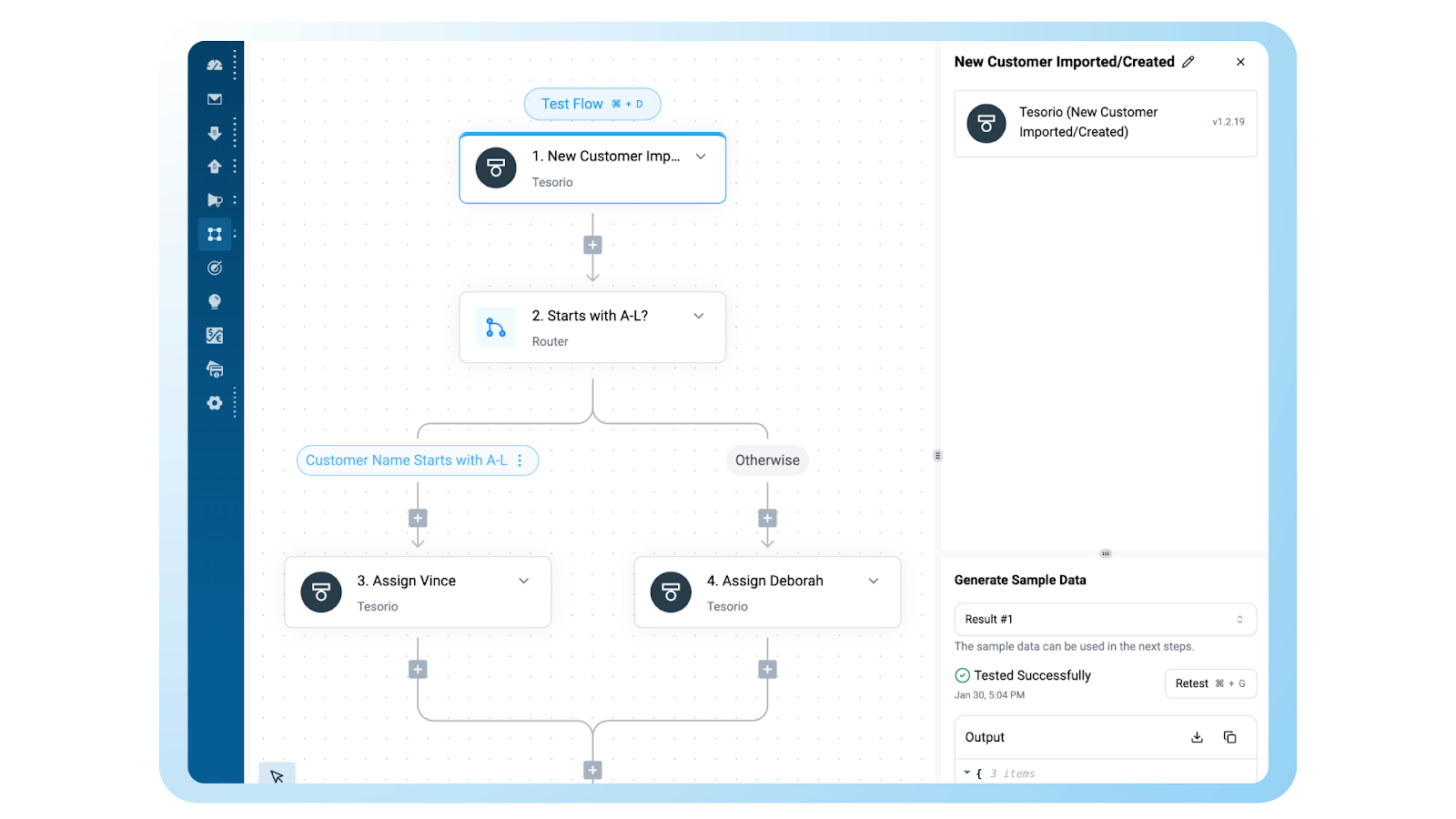
Tesorio identifies payments from bank files, lockbox PDFs, and remittance emails to close open invoices. Its engine resolves single payments covering dozens of invoices or partial payments with unannounced discounts. This ensures you work with an accurate sub-ledger, not outdated aging reports.
Its Cash Application Agent extracts data from attachments and suggests resolutions for unmatched cash based on historical patterns. This removes the delay between a bank deposit and the updated financial picture.
Key Features
- Interprets complex B2B remittances from emails and lockboxes.
- Matches many-to-one and one-to-many invoices using a rule-based engine.
- Updates NetSuite and Sage Intacct in real-time to maintain ledger integrity.
- Flags missing data and suggests probable matches for review.
- Feeds matched payment data directly into liquidity and forecasting models.
Pricing
- Custom: Quotes are tailored to transaction volume and ERP complexity.
Pros
- Achieves auto-match rates over 90% for disorganized remittance data
- Prevents collection calls for already-paid invoices
- Strong bidirectional sync with NetSuite and Sage Intacct
Cons
- Requires clear mapping of deduction and discount codes during setup
- Full benefits require a consistent volume of digital remittance data
Best For
Fast-growing B2B companies that want cash application to drive their collections strategy and forecasting.
12. BlackLine
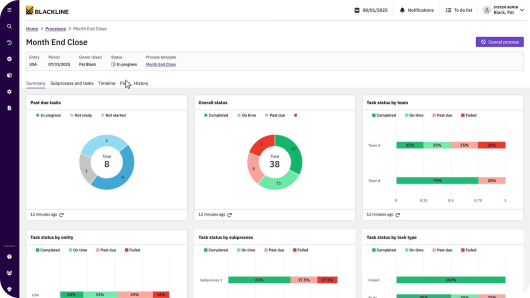
BlackLine extends its well-known financial close platform into accounts receivable through its Invoice-to-Cash suite. The Cash Application module uses AI to interpret remittance advice, code deductions automatically, and post journal entries to the general ledger. Teams that already run their close in BlackLine get a unified view of reconciliations and cash application without switching tools.
The platform reports an 85% average auto-match rate across its customer base, which makes it a strong fit for enterprises that have already standardized on BlackLine for month-end work and want to pull AR into the same workflow.
Key Features
- AI-driven matching that interprets remittance from emails, bank files, and lockbox PDFs.
- Automatic deduction coding with reason codes tied to your dispute workflow.
- Journal entries posted directly to the GL for audit-ready reconciliation.
- Pre-built integrations with SAP, Oracle, NetSuite, and Workday.
- Embedded AR Intelligence dashboards for real-time visibility into unapplied cash.
Pricing
- Custom: Subscription pricing based on transaction volume, users, and selected modules.
Pros
- Strong auto-match rate (~85%) on structured remittance data
- Tight fit for teams already using BlackLine for financial close
- Well-established support and implementation team for enterprise rollouts
Cons
- UI is click-heavy and can slow down on very large worklists
- Premium pricing relative to mid-market alternatives
- Learning curve is steep for new users without close-process experience
Best For
Large enterprises that already use BlackLine for financial close and want to unify reconciliation and cash application on one platform.
13. Sidetrade
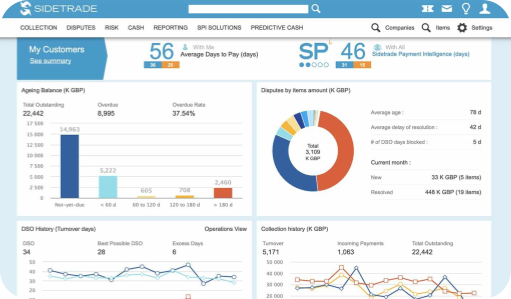
Sidetrade's Augmented Cash module is part of a broader AI-powered order-to-cash platform built around Aimie, its proprietary AI agent. Aimie draws on a B2B payment data lake of over $7.2 trillion in transactions, which Sidetrade uses to drive zero-touch matching and predict customer payment behavior.
The platform targets global enterprises with high-volume O2C operations, integrating with SAP, Oracle, and hundreds of AP portals. Recent generative AI features like "Ask Aimie" let users query account data and generate response templates in natural language.
Key Features
- AI-powered cash application with continuous learning across customers.
- Zero-touch matching for high-volume payment processing.
- Exception handling with auto-suggested resolutions based on historical data.
- Multi-currency and multi-entity support for global operations.
- "Ask Aimie" generative AI for summarizing remittance and drafting replies.
Pricing
- Custom: Tailored to enterprise transaction volume and module selection.
Pros
- Proprietary data lake gives strong matching accuracy on B2B payments
- AI agent capabilities go beyond traditional rule-based automation
- Deep integration with European and global ERPs
Cons
- Built for enterprise volumes; can overserve mid-market teams
- Implementation requires significant configuration effort
- Stronger reference customer base in Europe than in North America
Best For
Global enterprises with high-volume B2B receivables that want predictive AI and a deep payment data lake.
How to Choose the Right Cash Application Software
Most cash application tools claim to "automate matching," but the right fit depends on what's actually slowing your team down. Here are three questions to work through before shortlisting vendors.
1. Do You Need True Cash Application or Just Payment Matching?
Payment matching connects a deposit to an invoice. Cash application handles everything else: chasing missing remittance, decoding short pays, resolving disputes, and posting clean entries to the ledger.
If your bottleneck is the easy stuff, most ERPs handle this natively and a lightweight tool like Centime or Kolleno will close the gap. If your team spends most of its time emailing customers, you need a tool that handles the communication side too. That's where Lunos fits: it reads customer emails, identifies payment intent, and pulls the remittance info out before the cash hits the bank.
2. Is Your Volume Scaling Faster Than Your Team?
The point at which manual cash application breaks is rarely about invoice count alone. It's about the ratio of clean to messy payments. A team handling 2,000 invoices a month with mostly straight-through ACH is fine. The same team with 30% short pays, deductions, and lockbox checks is drowning.
For high-volume operations with structured remittance data, enterprise tools like HighRadius, BlackLine, or Sidetrade get auto-match rates above 85%. For mid-market teams scaling fast with messy payment data, Lunos handles the unstructured part without requiring a six-figure implementation.
3. How Important Is ERP Integration Depth?
A tool’s integration depth can have a massive and immediate effect on your workflows, so its important to get it right. Some tools sit on top of your ERP and post entries via API. Others embed directly inside SAP or NetSuite and run as a native module. The difference matters.
If you're on SAP and need everything inside the system of record, Serrala or BlackLine are the standard. If you're on NetSuite, QuickBooks, or Xero and want a faster setup with bidirectional sync, Lunos integrates natively with all three and keeps the AR sub-ledger current without an IT project.
Eliminating the Reconciliation Gap with a Cash Application Software
Modern cash application software turns the month-end fire drill into a real-time operation.
Automated data extraction from disparate lockbox PDFs and email threads ensures your sub-ledger stays as current as your bank balance. This removes the visibility lag that often leads to redundant collection calls and fragmented forecasting.
Stop letting manual reconciliation slow down your cash flow. Lunos acts as an AI coworker that handles the complex communication and negotiations required to clear your aging report for good.
Get started with Lunos today to reduce your workload and tame system fragmentation.
FAQs
What Is Cash Application Software?
Cash application software automates the process of matching incoming customer payments to open invoices in your accounts receivable ledger.
It pulls remittance data from bank files, lockbox PDFs, emails, and customer portals, then applies the payment to the right invoice and posts the entry to your ERP.
Without it, AR teams spend hours each week reconciling deposits manually and chasing customers for missing remittance details.
How Is Cash Application Different From Payment Reconciliation?
Payment reconciliation confirms that the total cash in your bank matches the total payments recorded in your ledger. Cash application is the step that happens before that: identifying which customer paid, which invoice the payment covers, and how to handle any short pays or deductions. Reconciliation tools answer "do the numbers add up?" Cash application tools answer the “who,what, and why?"
Can Cash Application Software Work With Multiple ERPs?
Most modern cash application tools support more than one ERP, though the depth of integration varies. Tools like Lunos and Billtrust integrate natively with NetSuite, QuickBooks, Xero, and Sage. Enterprise platforms like BlackLine, Serrala, and Sidetrade focus on SAP, Oracle, and Workday. If you run multiple ERPs across business units, prioritize vendors with proven bidirectional sync rather than one-way data exports.
How Much Does Cash Application Software Cost?
Pricing varies widely by vendor and volume. Mid-market tools Lunos offer a free Starter tier with a 0.3% fee on collected revenue. Enterprise platforms like HighRadius use custom pricing tied to transaction volume, number of modules, and integration scope, typically running into six figures annually. Most vendors don't publish pricing because deals are structured around enterprise contracts, but if pricing transparency is important to you, look for tools like Lunos.
How Long Does Implementation Take?
Cloud-native tools designed for mid-market teams (Lunos, Kolleno, Centime) typically deploy in days to a few weeks with native ERP connectors. Enterprise platforms like Serrala, BlackLine, and HighRadius involve longer implementations, often three to six months, because they require detailed configuration around custom workflows, rule sets, and multi-entity ERP environments.
Make your receivables effortless and focus on what you do best